


Quick Start
Step 1: Install Hermes Agent
Hermes Agent supports Linux, macOS, native Windows, and Android (Termux).macOS / Linux / WSL2
Windows (native, PowerShell)
Android (Termux)
Hermes ships an APT source for Termux, install following the official guide: Termux Installation Guide Desktop users can also download the Hermes Desktop installer directly from the website.Step 2: Connect AIHubMix (official plugin)
The AIHubMix model provider plugin is listed in the official Hermes plugin catalog (curated catalog), install it with one command:Older Hermes builds (predating 2026-09-02) only discover model providers under
~/.hermes/plugins/model-providers/, while a catalog install places the plugin one level up in ~/.hermes/plugins/aihubmix/, so it never registers. Upgrade Hermes first; if you cannot, move the directory manually and restart the Gateway:Set the API Key
Write the key into$HOME/.hermes/.env (Hermes’ credentials file, all keys live there and never in config.yaml):
hermes doctor uses this variable to probe the connectivity of the AIHubMix model catalog endpoint.
Merely
export AIHUBMIX_API_KEY in a terminal does not necessarily take effect for the plugin provider (a running Gateway reads .env instead). When calling a custom endpoint directly with --provider custom, in-process environment variables do work.Usage
/model, choosing AIHubMix from the provider list. The plugin pulls the model list from the AIHubMix model catalog API, listing only entries that support tool calling; when that API is unavailable it falls back to the generic /v1/models. Writing AIHUBMIX_BASE_URL into ~/.hermes/.env points the plugin at a proxy or self-hosted relay (it then uses {base_url}/models to fetch the list).
Source and complete documentation: AIhubmix/hermes-provider-aihubmix
Step 3: Configure Custom Endpoint Manually (optional)
If you prefer not to install the plugin, walk through thehermes model wizard manually: choose Custom endpoint, fill the API base URL with https://aihubmix.com/v1, the API Key with your AIHubMix key, and the model ID with a model code from the platform (e.g. gpt-5.5, glm-5.3, claude-sonnet-5-5).
You can also verify with a single command (without touching config files):
hermes setup currently offers three modes: Quick Setup (Nous Portal), Full Setup, and Blank Slate; provider and model configuration happen in hermes model.Step 4: Run a Test
- Enter
hermesin the terminal to open the interactive chat. - Send a message (e.g. introduce AIHubMix). A normal model reply means the integration works; use
hermes doctorto troubleshoot.
Connect via Hermes Desktop
No command line needed when using Hermes Desktop (the graphical app):- Open Settings → Providers → Custom Endpoints, click + Add Endpoint (or New endpoint):
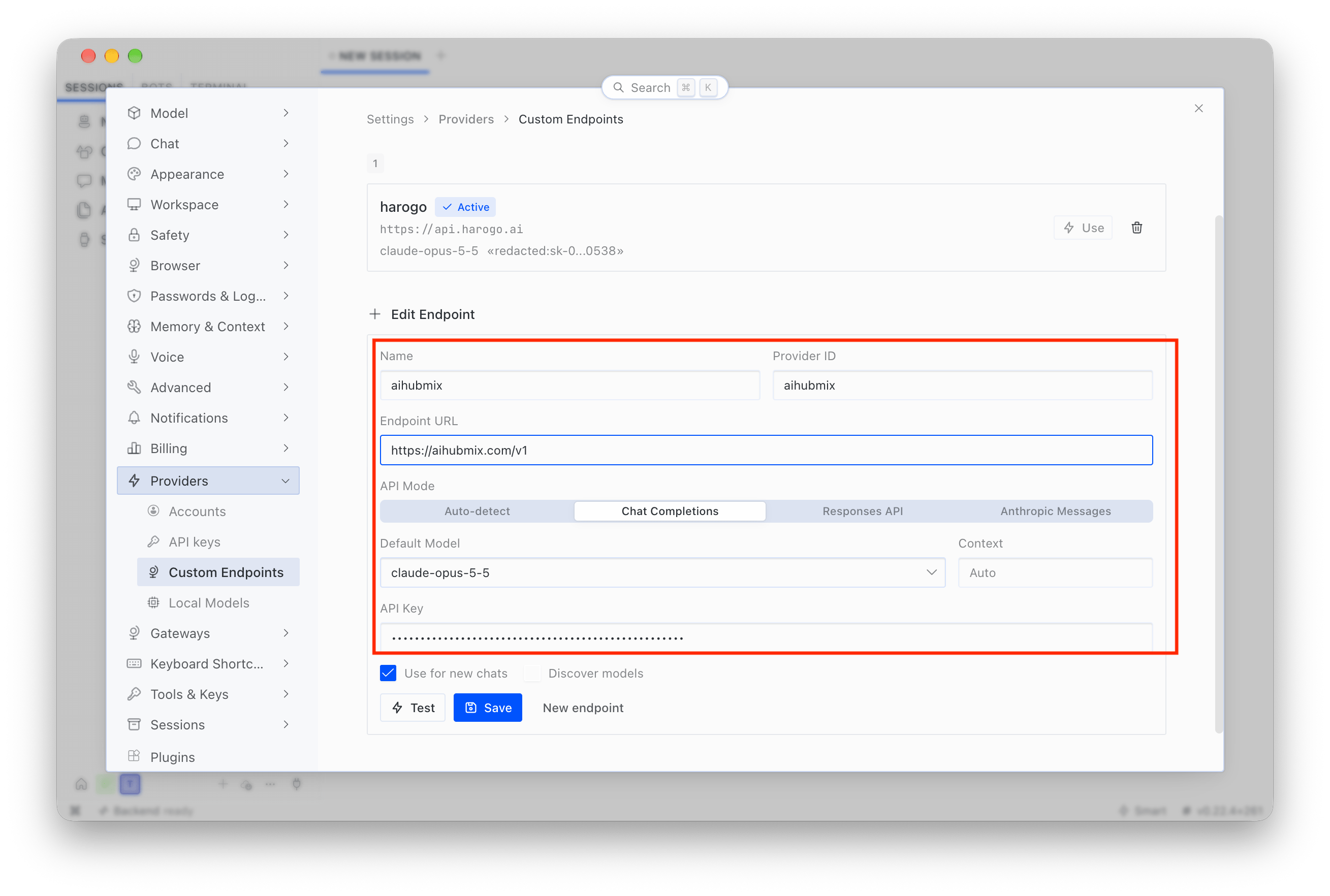
- Fill Name with
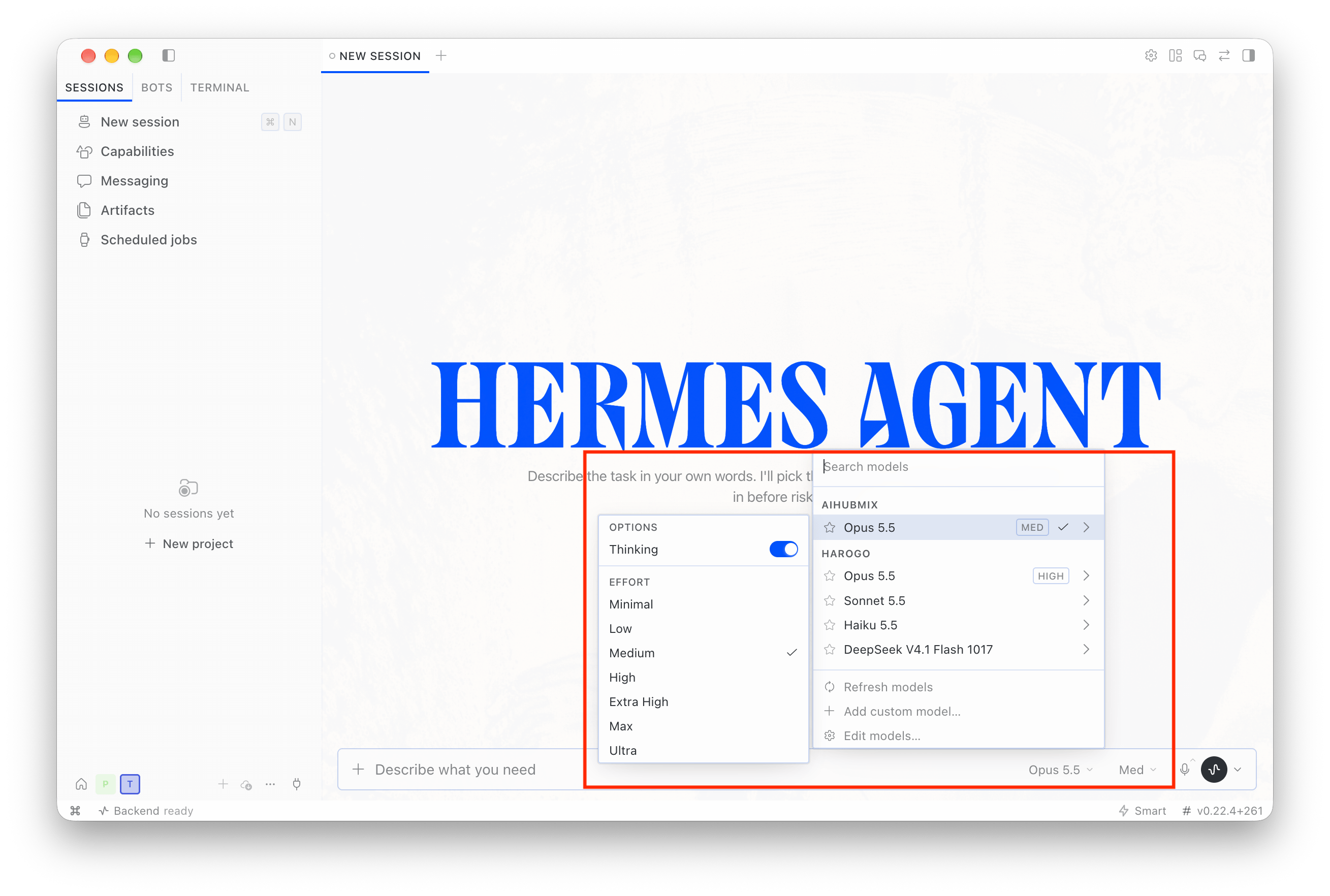
aihubmix, Endpoint URL withhttps://aihubmix.com/v1, keep API Mode as Auto-detect, fill Default Model with a model code from the platform, and API Key with your AIHubMix key; click Test to check connectivity (Discover models pulls the model list), then Save. - Back on the main screen, open the model picker and pick a model from the AIHUBMIX group:
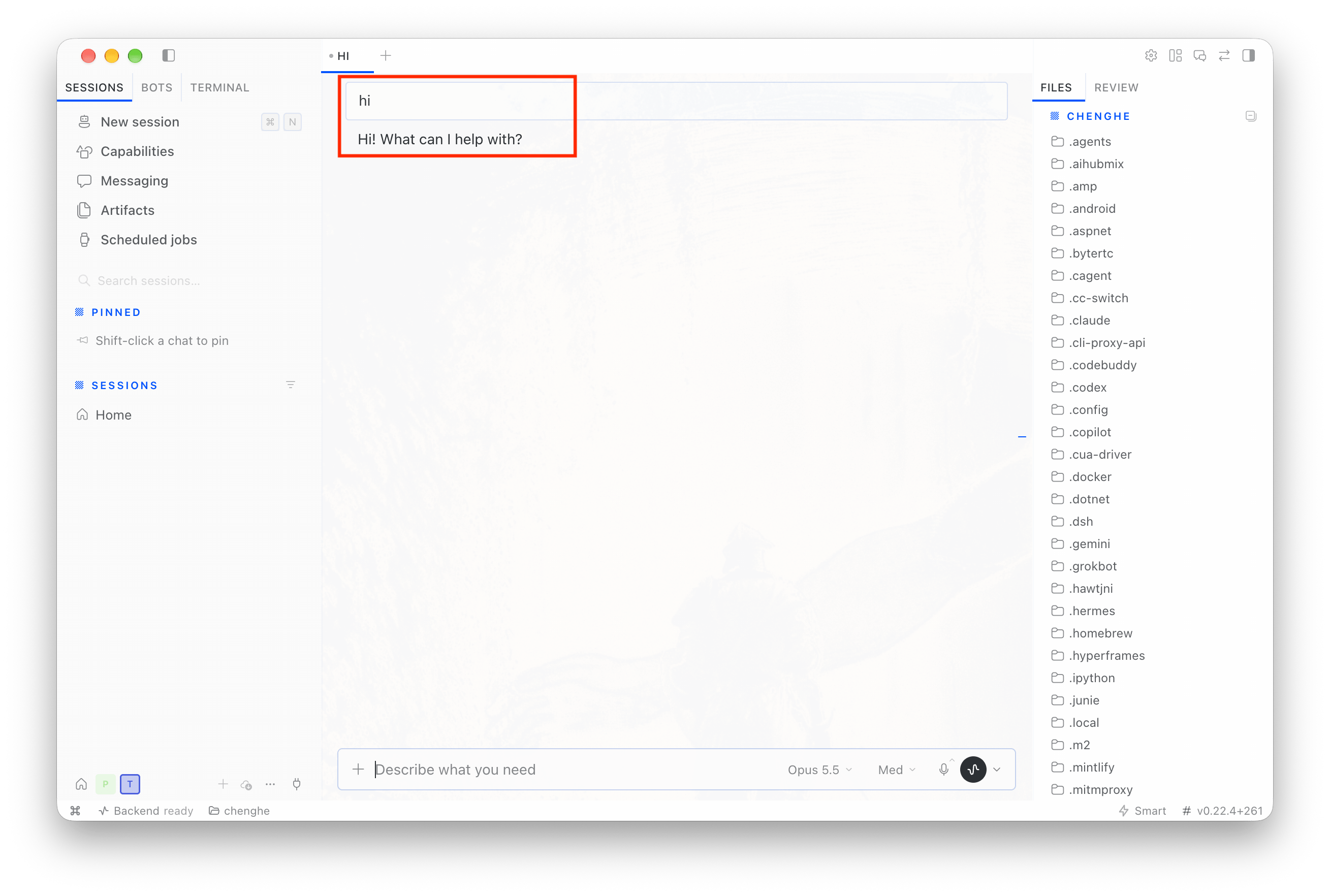
- Send a message directly to verify:
Common Commands
FAQ
The plugin installed via owner/repo shorthand doesn’t work?
hermes plugins install AIhubmix/hermes-provider-aihubmix takes a different path than installing by catalog name: on older builds the former clones the repository to ~/.hermes/plugins/<repo-name>/, which is not inside the model provider discovery path, so the plugin never registers. Install by catalog name instead (hermes plugins install aihubmix, the plugin is listed in the official catalog), or move the directory manually as shown in the Step 2 note.
How does the plugin differ from Custom endpoint?
Custom endpoint requires filling in the base URL and model ID by hand. The plugin registers AIHubMix as the named provideraihubmix, supports calling it directly with --provider aihubmix, and fills the model list automatically from the AIHubMix model catalog API, filtered to tool-call-capable models.
The /model list is empty or shorter than expected
First confirm that AIHUBMIX_API_KEY is present in ~/.hermes/.env and valid, which hermes doctor can check. The list only includes models marked with tool-call capability (tools or function_calling), so it is shorter than the full catalog. If AIHUBMIX_BASE_URL is set to a value other than the default, the plugin uses {base_url}/models instead.
“No usable credentials found”
The plugin provider reads credentials from~/.hermes/.env: confirm that the file contains AIHUBMIX_API_KEY, then restart the Gateway or open a new terminal; also confirm the plugin is enabled (hermes plugins list). With the --provider custom method, in-process environment variables suffice.
Last updated: 2026-10-28