> ## Documentation Index
> Fetch the complete documentation index at: https://docs.aihubmix.com/llms.txt
> Use this file to discover all available pages before exploring further.
# Pot
Tip: Translation software is advised not to use OpenAI's O-series and GPT-5 series models.
Download link: [https://pot-app.com/](https://pot-app.com/)
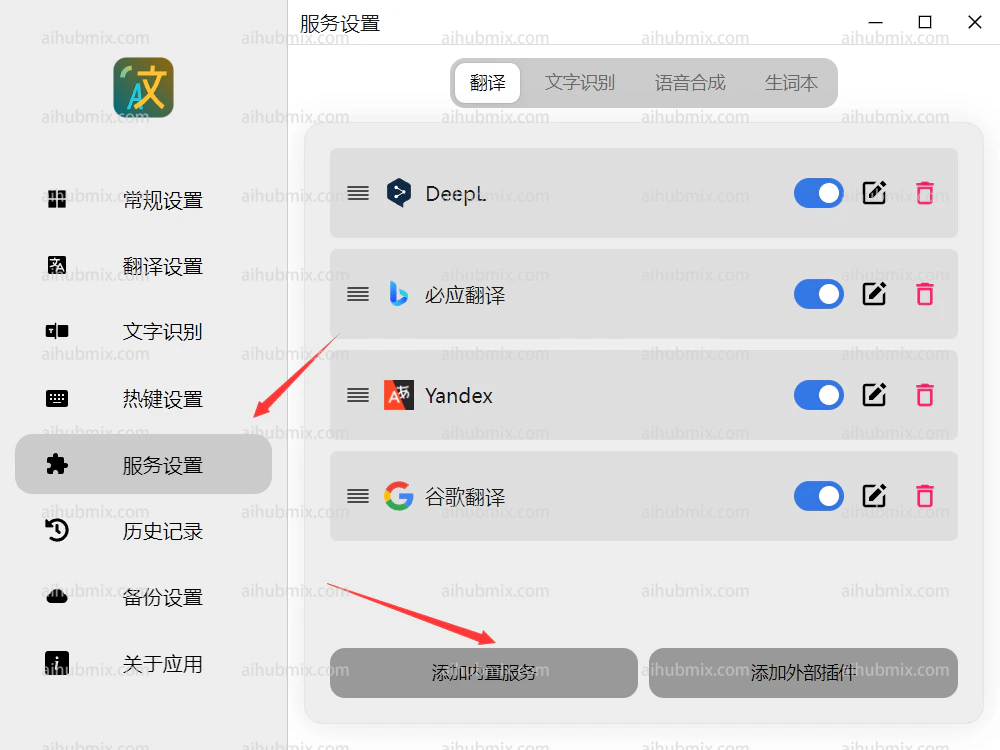
1. Open Pot Translator and select Add Built-in Service in the service settings.\\
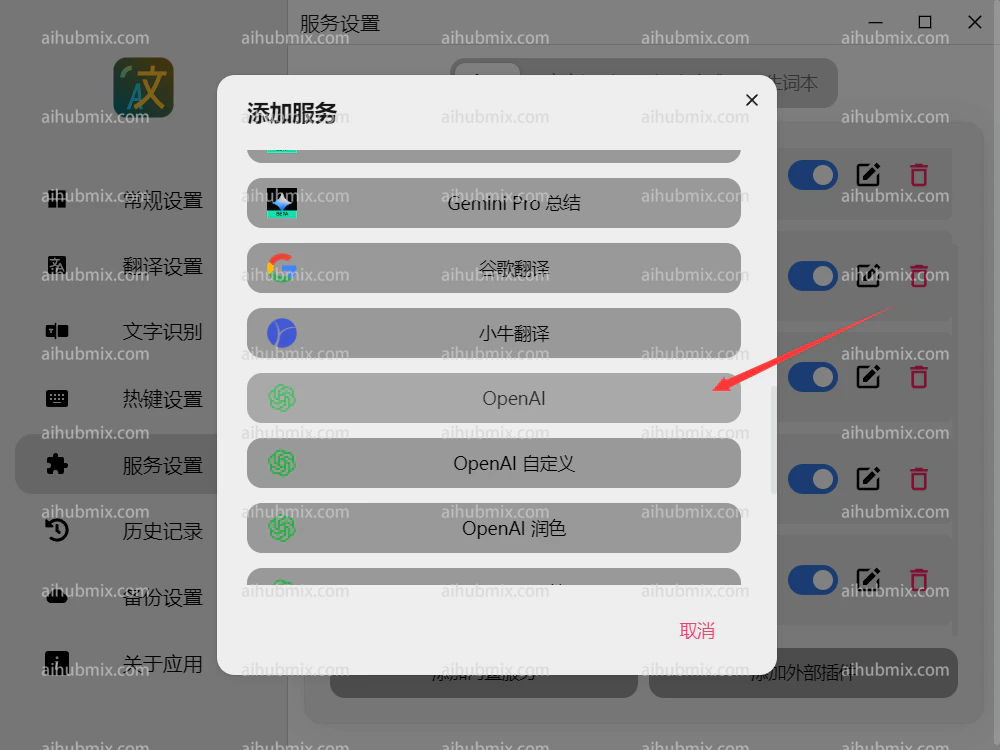
 2. Click on OpenAI.\\
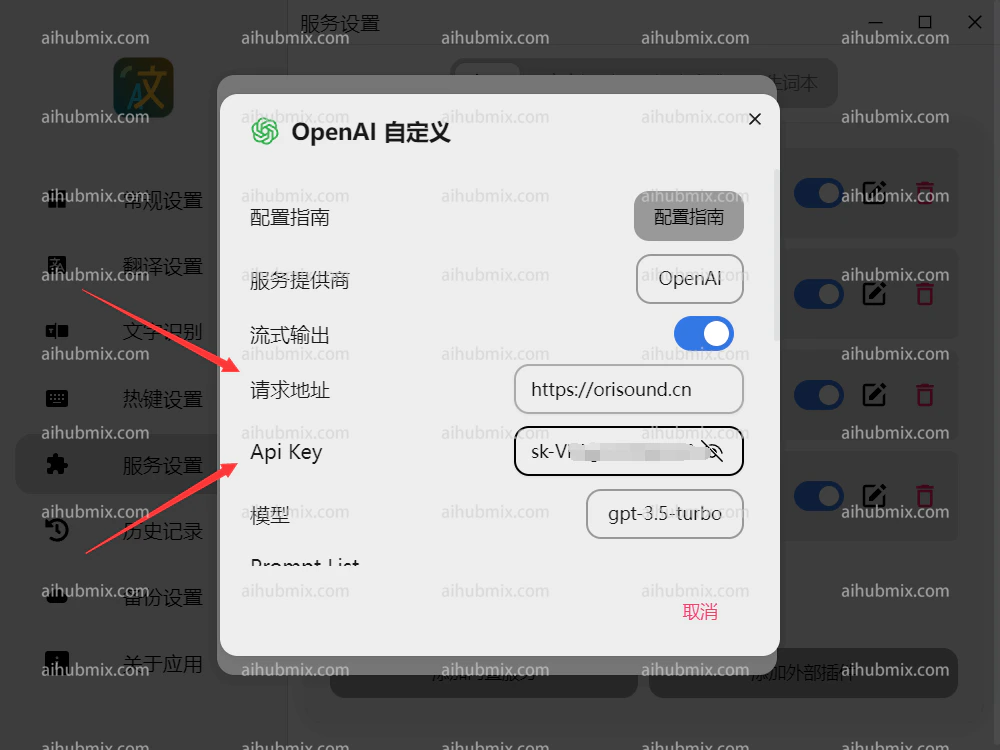
 3. Set the request URL to
```
https://aihubmix.com
```
4. Generate the API key from [our site’s Key](https://aihubmix.com/token).\\
3. Set the request URL to
```
https://aihubmix.com
```
4. Generate the API key from [our site’s Key](https://aihubmix.com/token).\\
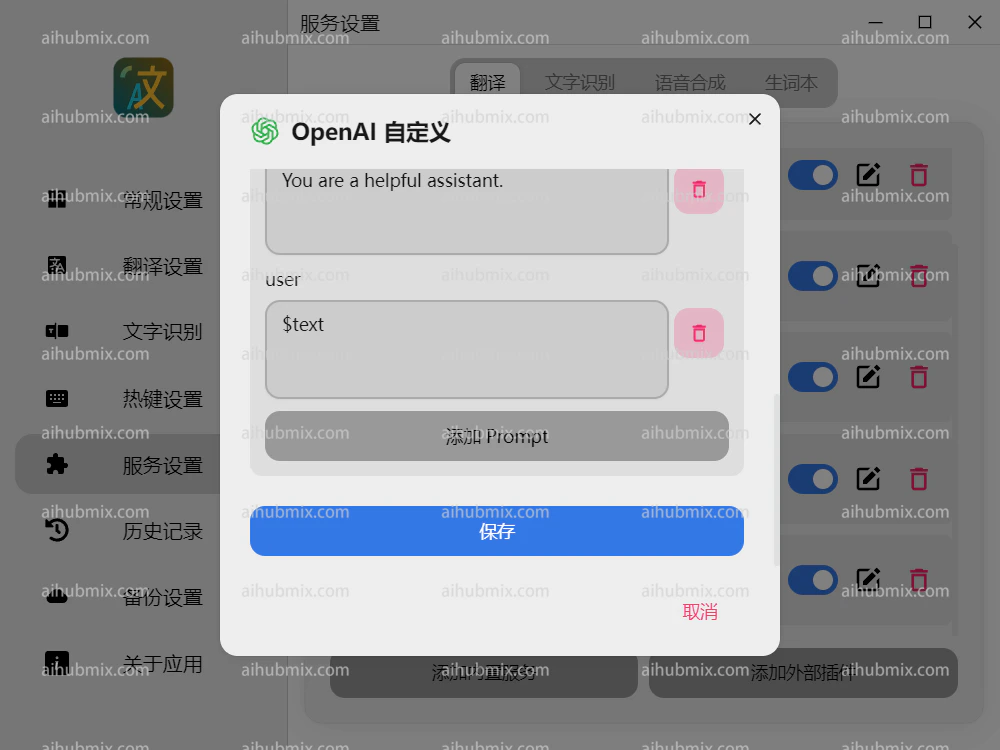
 5. Scroll down to save.\\
 ***
Last updated: 2026-06-01
***
Last updated: 2026-06-01