> ## Documentation Index
> Fetch the complete documentation index at: https://docs.aihubmix.com/llms.txt
> Use this file to discover all available pages before exploring further.

# n8n

### Official Website

N8n official website: [http://n8n.io/](http://n8n.io/)

### Configuration Guide

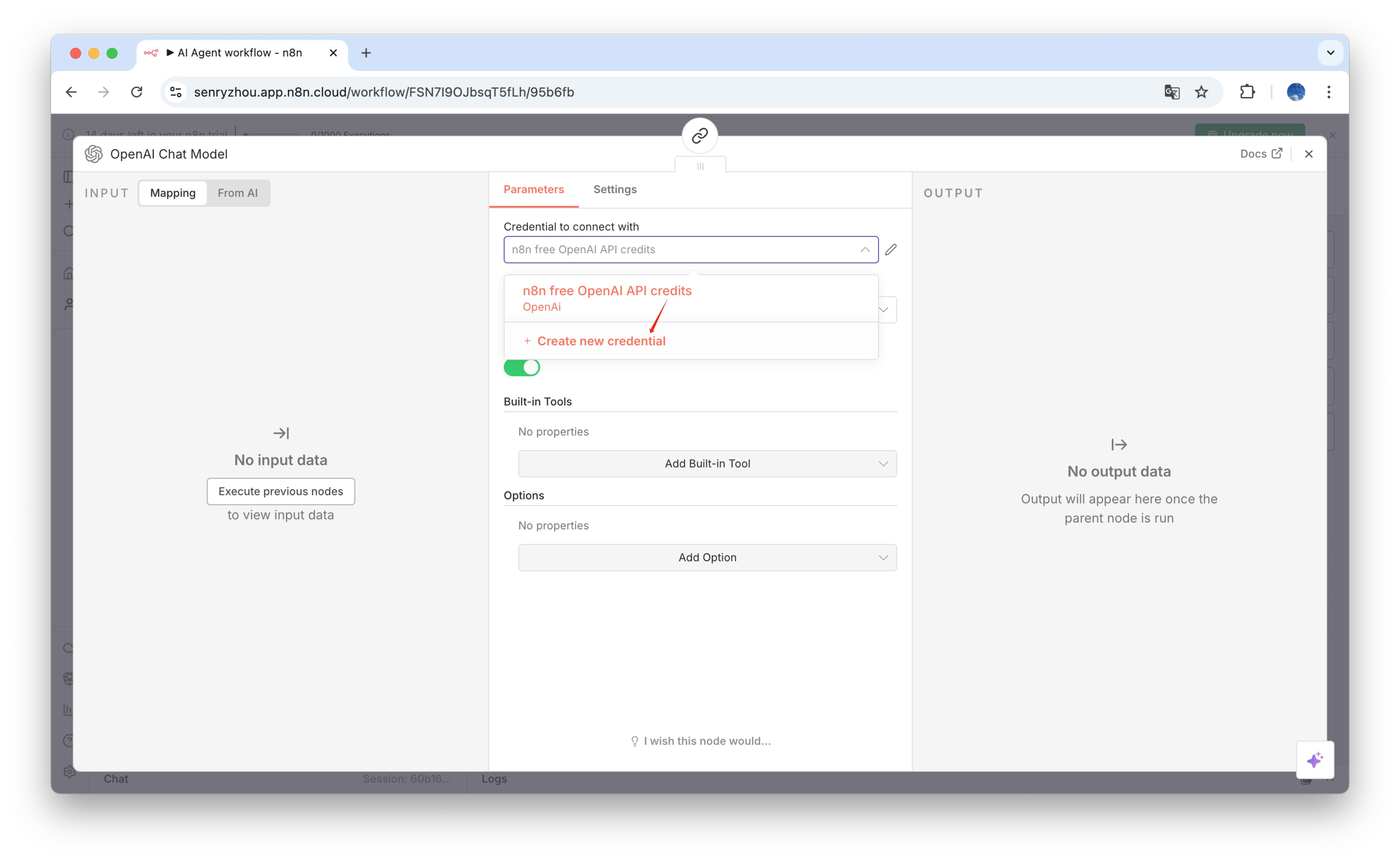
1. Enter the workspace, add a **Chat Model** node, and create new credentials.
<img src="https://mintcdn.com/aihubmix/UHekCbwHJkxrkj19/public/en/n8n-1.jpg?fit=max&auto=format&n=UHekCbwHJkxrkj19&q=85&s=46490ee6c08ca3f2d724c03e3f0d4854" alt="n8n" width="6148" height="3780" data-path="public/en/n8n-1.jpg" />

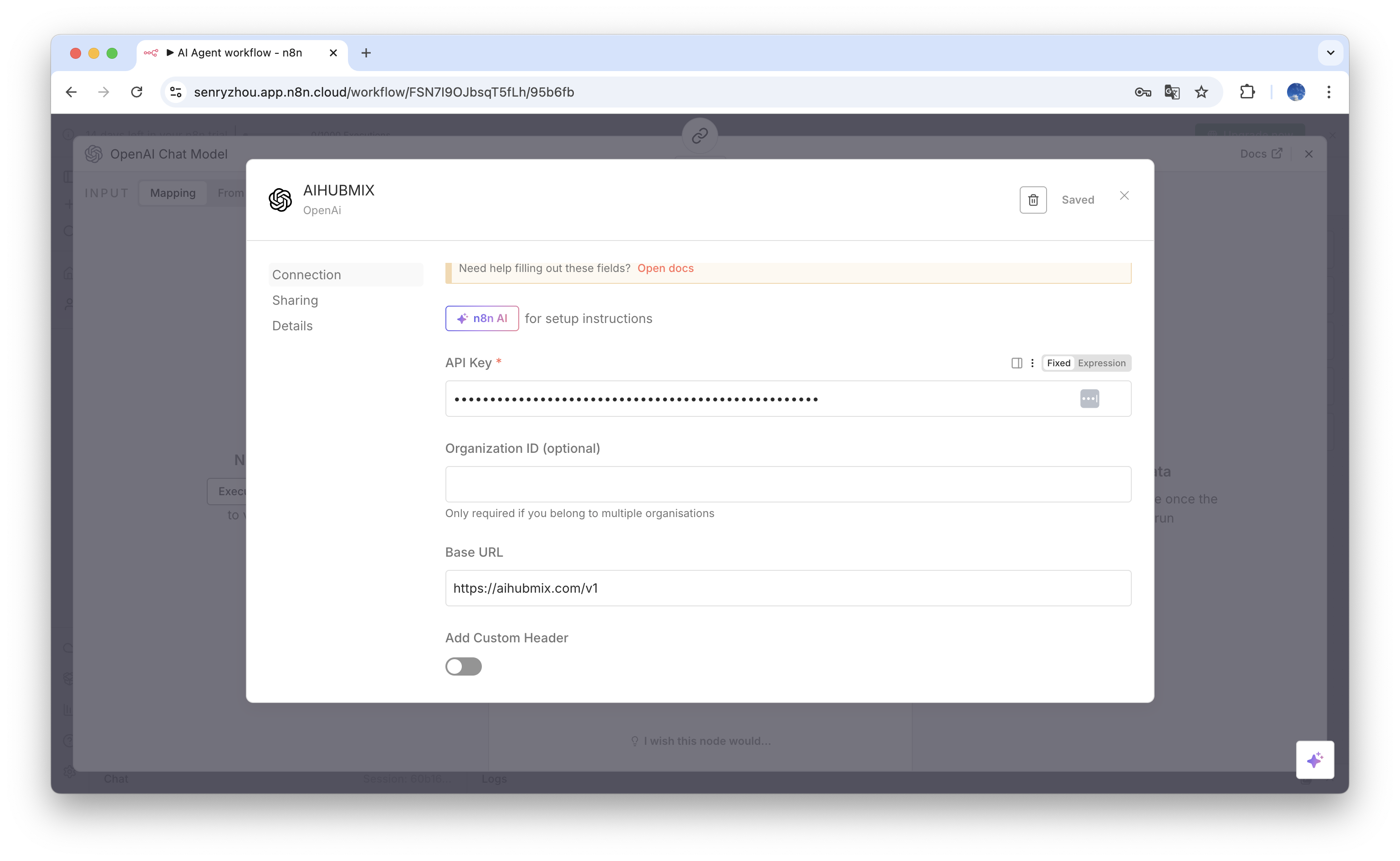
2. Enter a name, the API Key, and the Base URL, then save.
<img src="https://mintcdn.com/aihubmix/UHekCbwHJkxrkj19/public/en/n8n-2.png?fit=max&auto=format&n=UHekCbwHJkxrkj19&q=85&s=885d0012733bebdb77b27a456e8c2bb4" alt="n8n" width="3074" height="1890" data-path="public/en/n8n-2.png" />

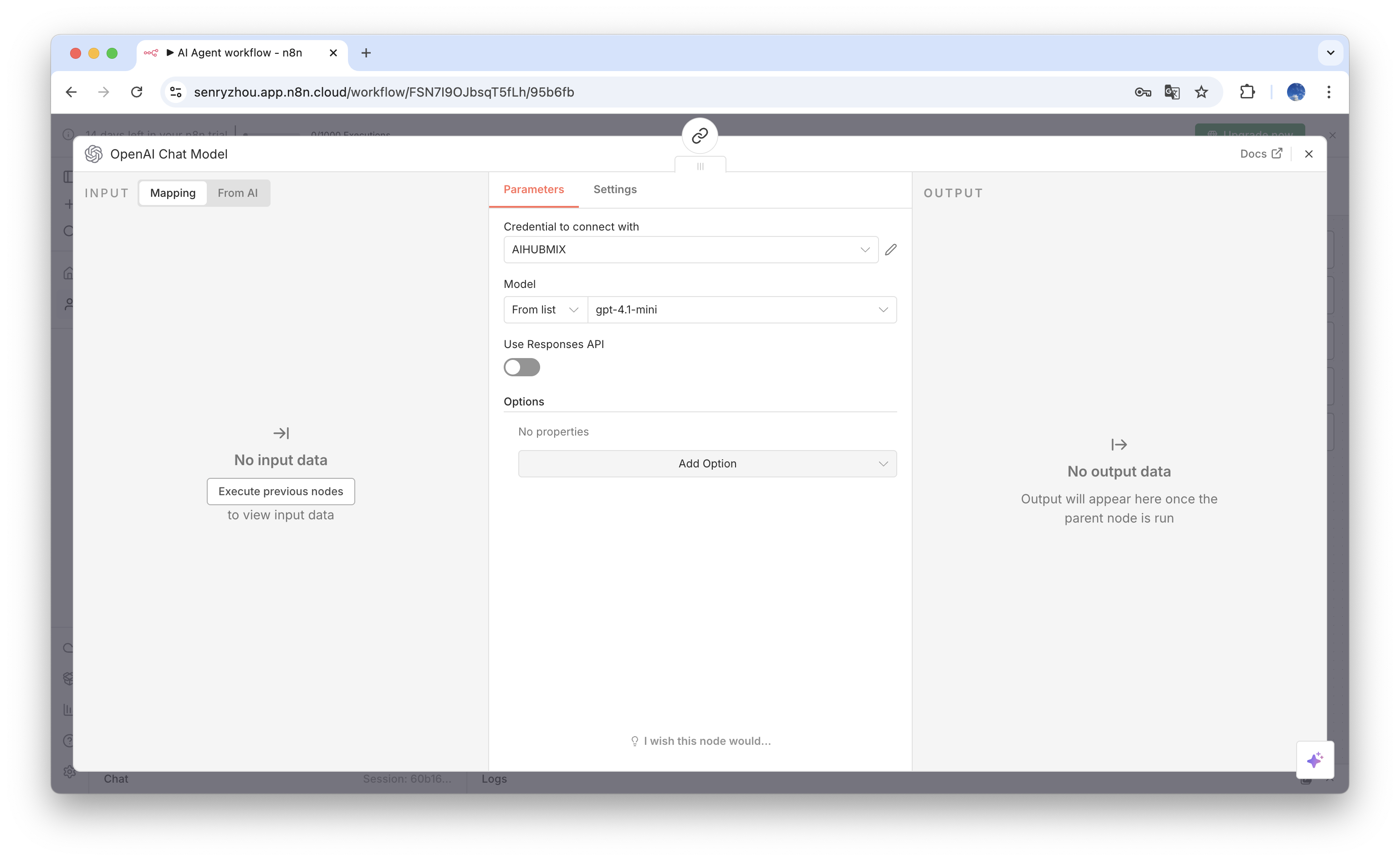
3. Select the newly created credentials, add the model you want to use, and disable **`Use Response API`**.
<img src="https://mintcdn.com/aihubmix/UHekCbwHJkxrkj19/public/en/n8n-3.png?fit=max&auto=format&n=UHekCbwHJkxrkj19&q=85&s=94c0dc9dd9be907dc2a7d5c5cf74761e" alt="n8n" width="3074" height="1890" data-path="public/en/n8n-3.png" />

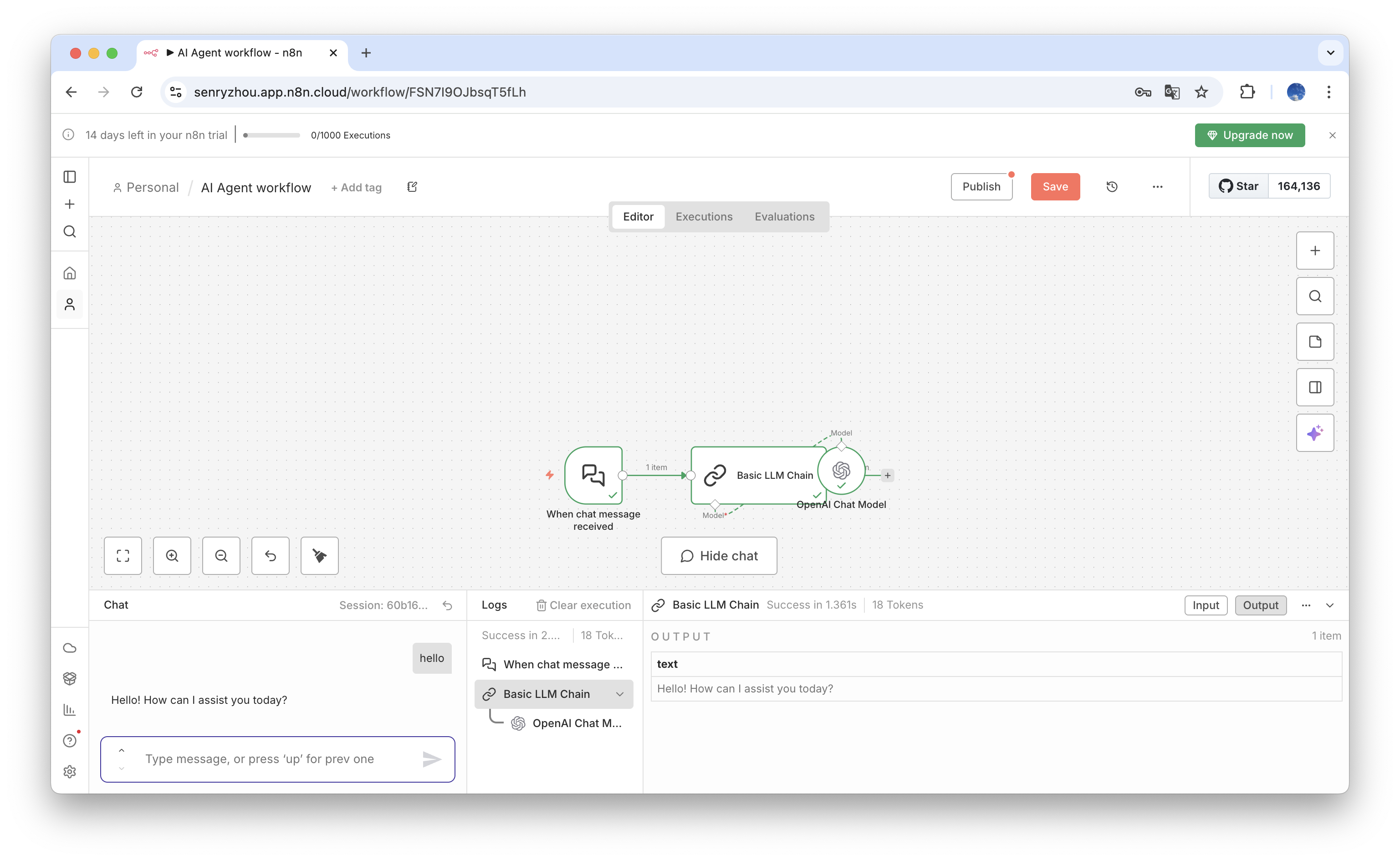
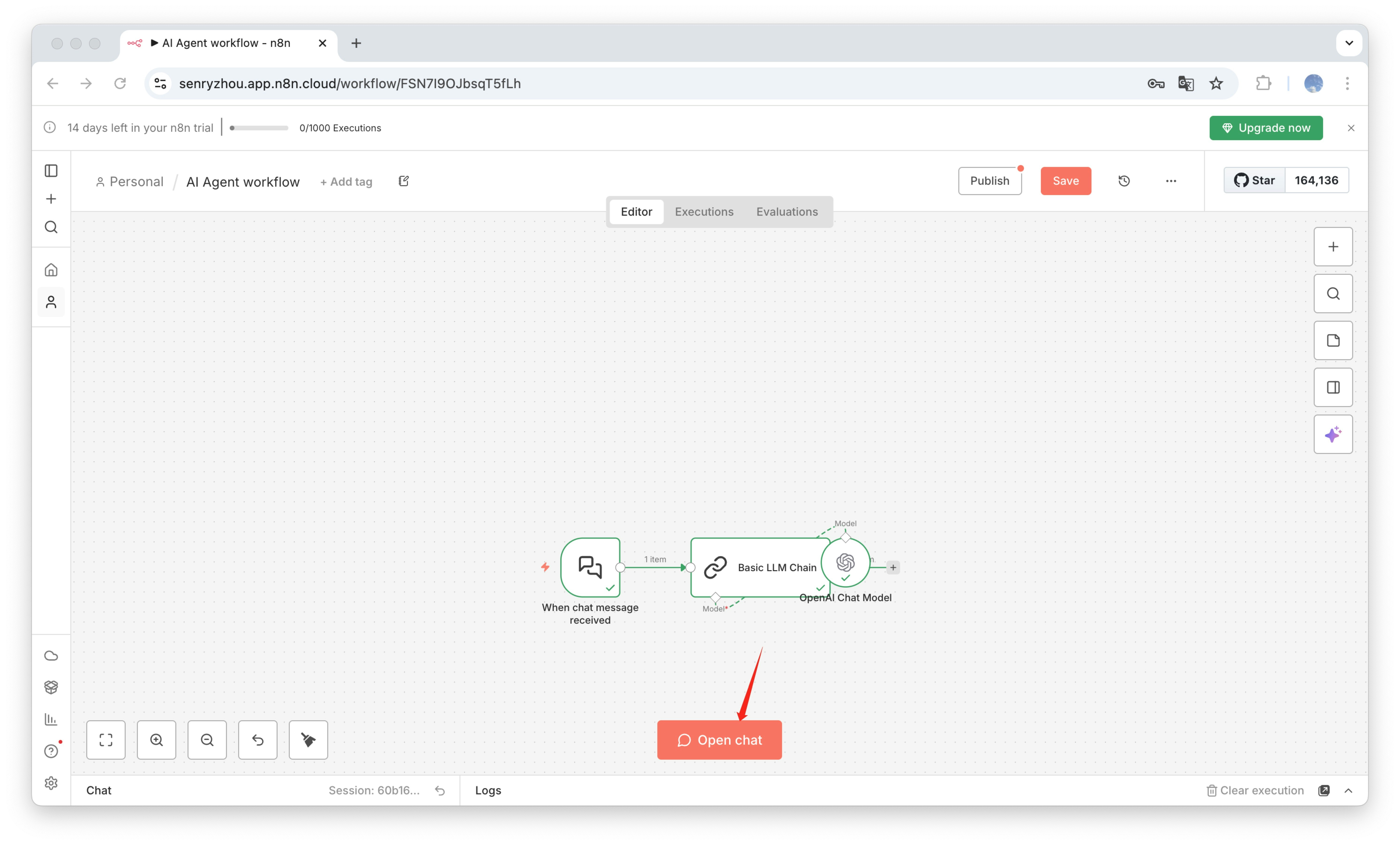
4. Open **`Open Chat`** to start using AIHubMix models in N8n.
<img src="https://mintcdn.com/aihubmix/UHekCbwHJkxrkj19/public/en/n8n-4.jpg?fit=max&auto=format&n=UHekCbwHJkxrkj19&q=85&s=8d5561763cc4283b06990e2fdf94e2da" alt="n8n" width="5972" height="3604" data-path="public/en/n8n-4.jpg" />

## <img src="https://mintcdn.com/aihubmix/olSEGib1elKwqQAM/public/en/n8n-5.png?fit=max&auto=format&n=olSEGib1elKwqQAM&q=85&s=4be0eab5d3dd07b20472292e276f57d1" alt="n8n" width="3074" height="1890" data-path="public/en/n8n-5.png" />

Last updated: 2026-06-01