> ## Documentation Index
> Fetch the complete documentation index at: https://docs.aihubmix.com/llms.txt
> Use this file to discover all available pages before exploring further.
# LobeChat
## Common usage method
Lobe-Chat official website: [chat-preview.lobehub.com](https://chat-preview.lobehub.com/?utm_source=aihubmix\&utm_medium=website\&utm_campaign=references)
Click to enter settings as shown below\\
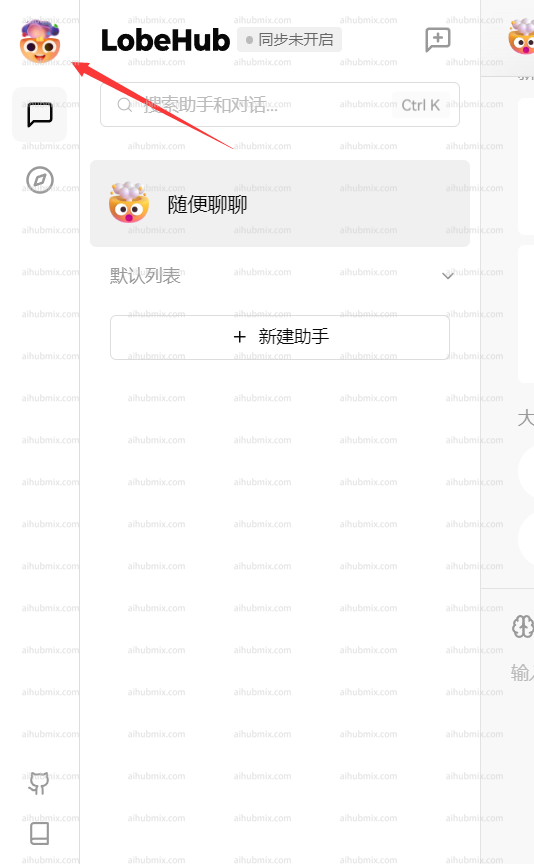
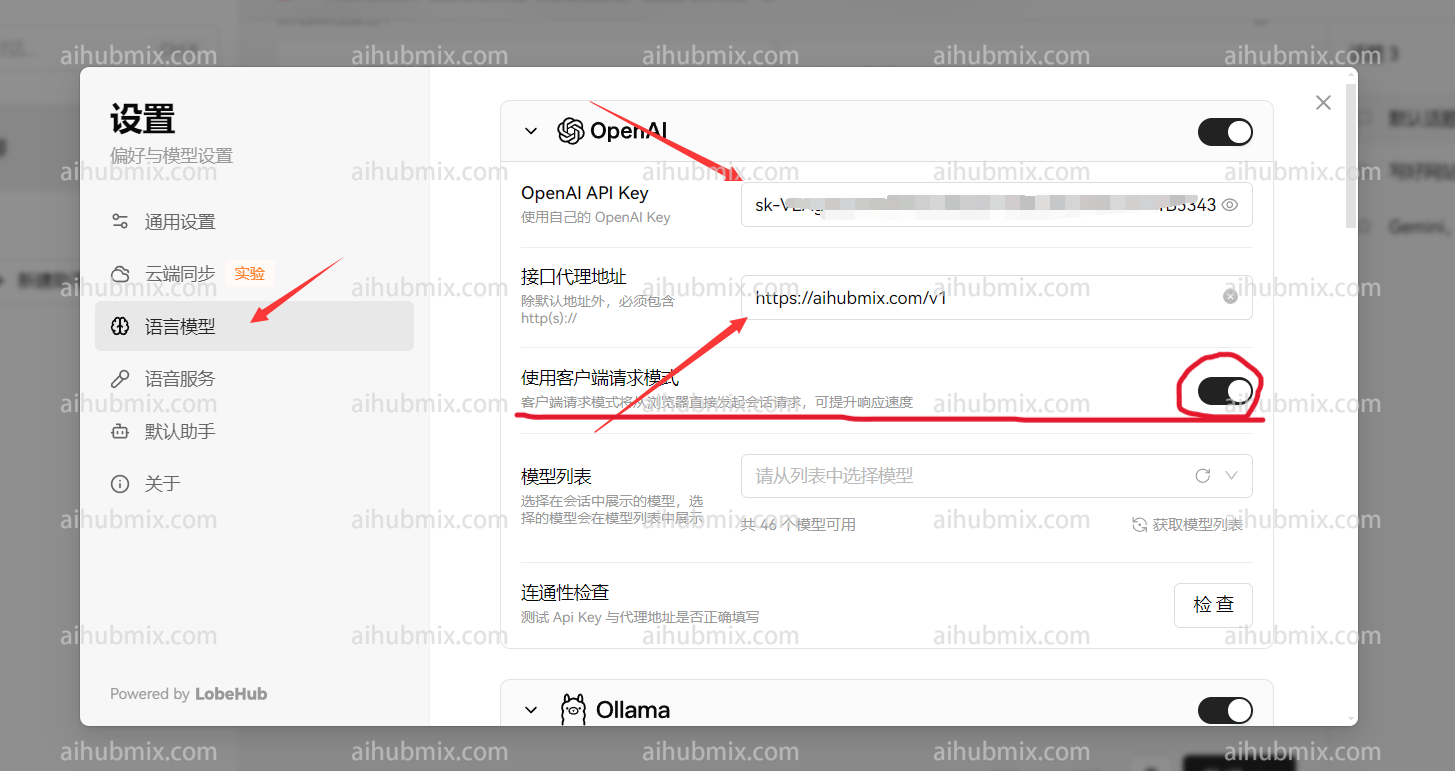
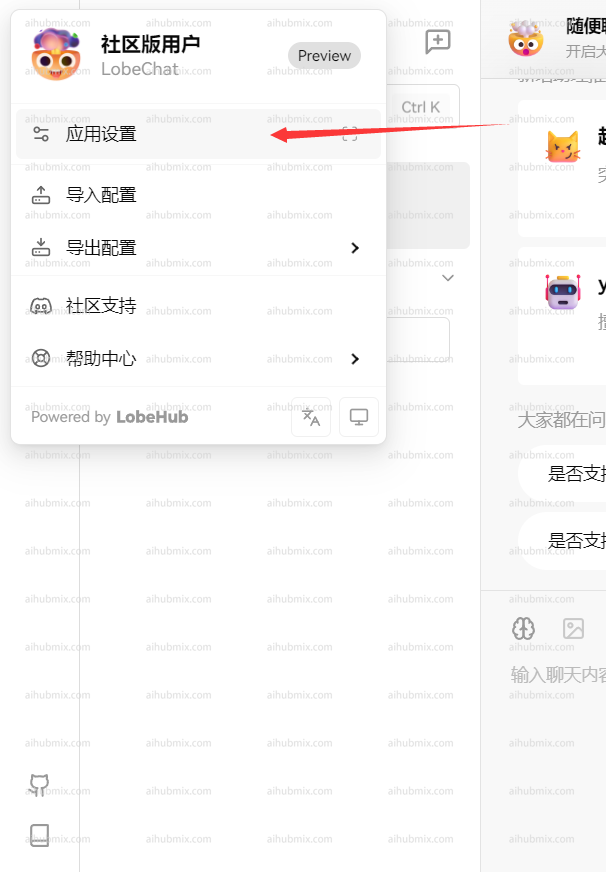 * API Key: Enter [the Key from this site](https://aihubmix.com/token)
* Proxy Address: Enter the following URL directly:
```
https://aihubmix.com/v1
```
(It is recommended to enable "Use Client Request Mode")\
* API Key: Enter [the Key from this site](https://aihubmix.com/token)
* Proxy Address: Enter the following URL directly:
```
https://aihubmix.com/v1
```
(It is recommended to enable "Use Client Request Mode")\
 \
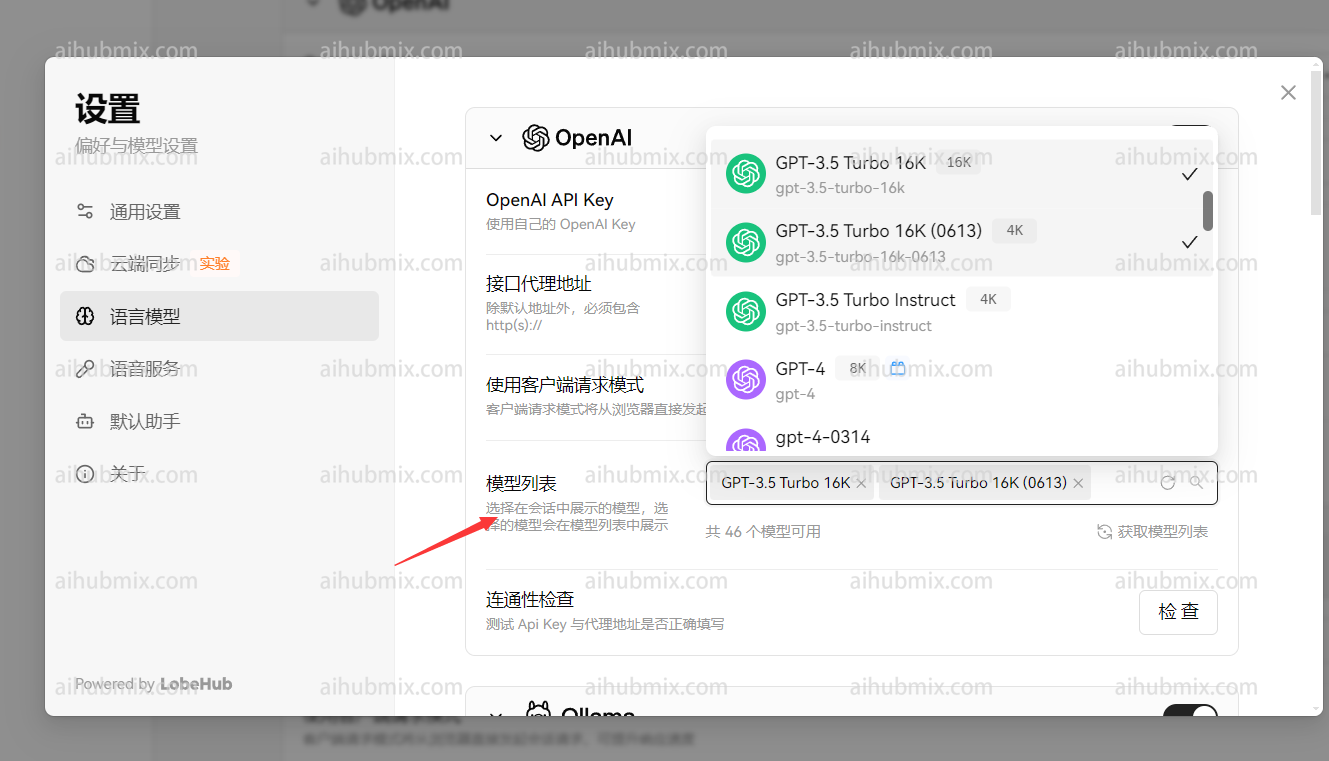
Finally, add the model you want to use in the model list\\
\
Finally, add the model you want to use in the model list\\
 ## Non-openai model usage method
The choice of model service provider remains openai, and you can manually add the required model name in the model list.\
You can copy the model name you want to use by opening the model square page on the website.
--------------------------------------------------------------------------------------------
Last updated: 2026-06-01
## Non-openai model usage method
The choice of model service provider remains openai, and you can manually add the required model name in the model list.\
You can copy the model name you want to use by opening the model square page on the website.
--------------------------------------------------------------------------------------------
Last updated: 2026-06-01