> ## Documentation Index
> Fetch the complete documentation index at: https://docs.aihubmix.com/llms.txt
> Use this file to discover all available pages before exploring further.
# Chatx
Chatx download link: [https://apps.apple.com/app/id6446304087](https://apps.apple.com/app/id6446304087)
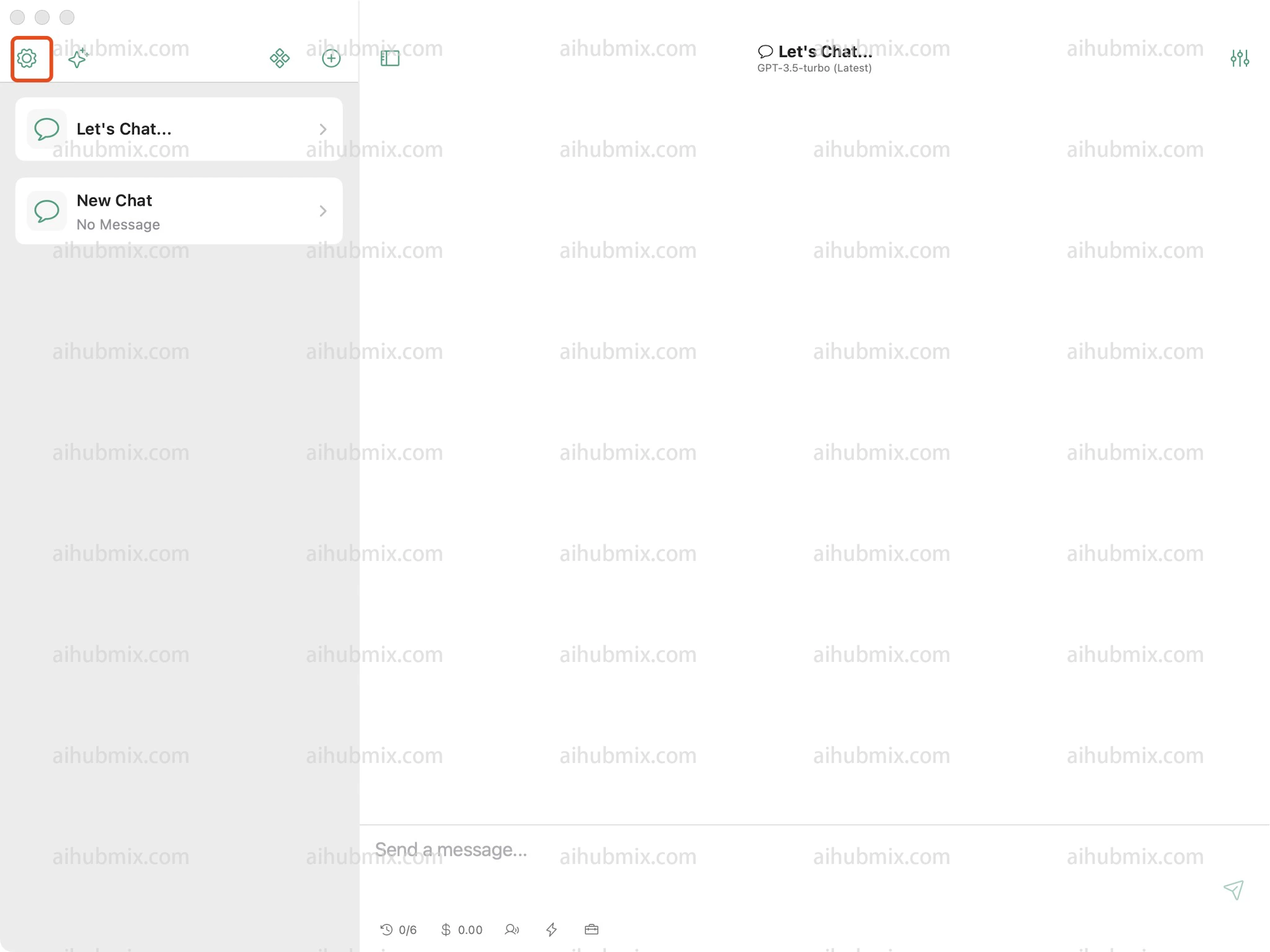
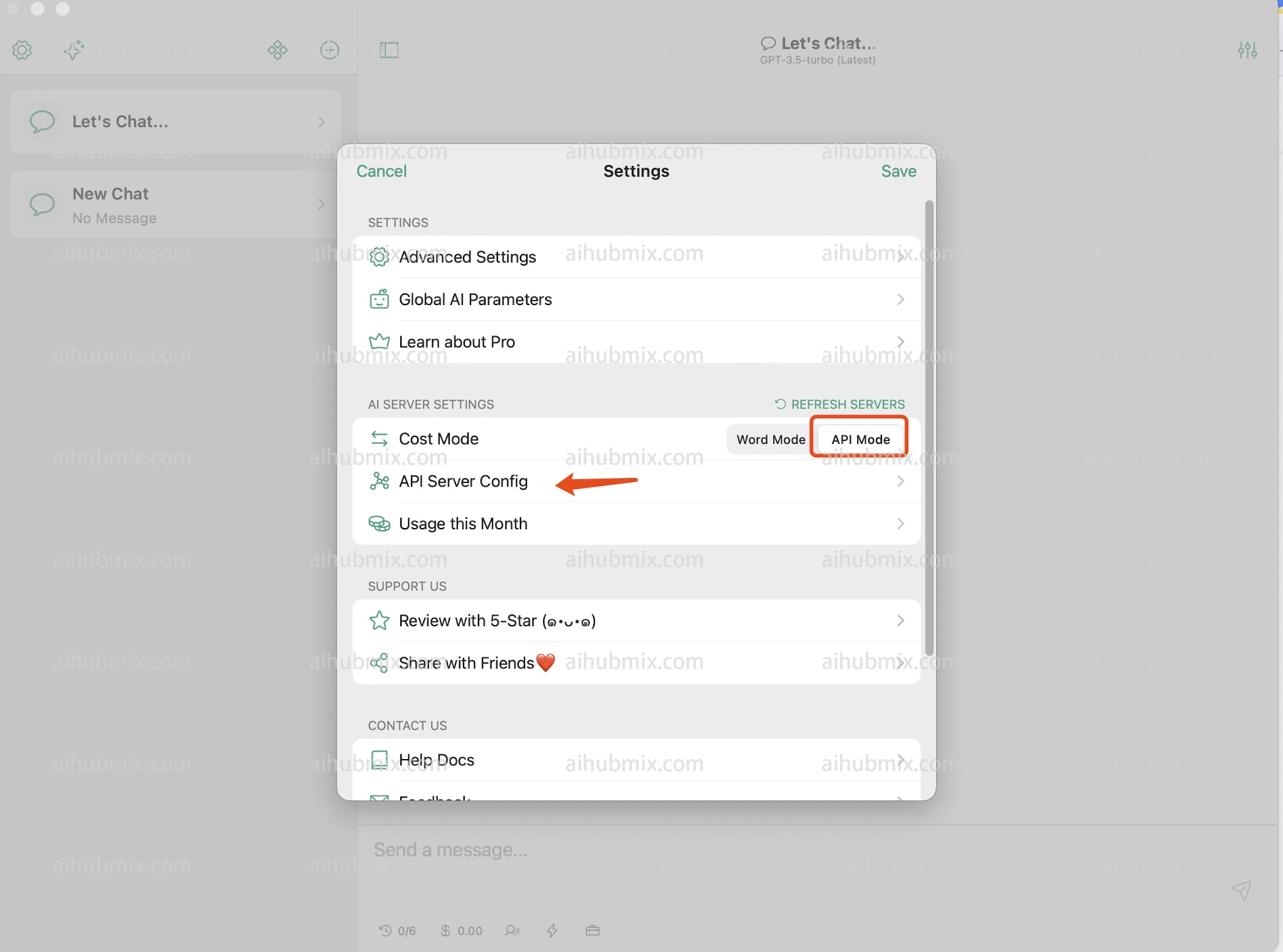
1. Open Settings and find API Server Config.\\
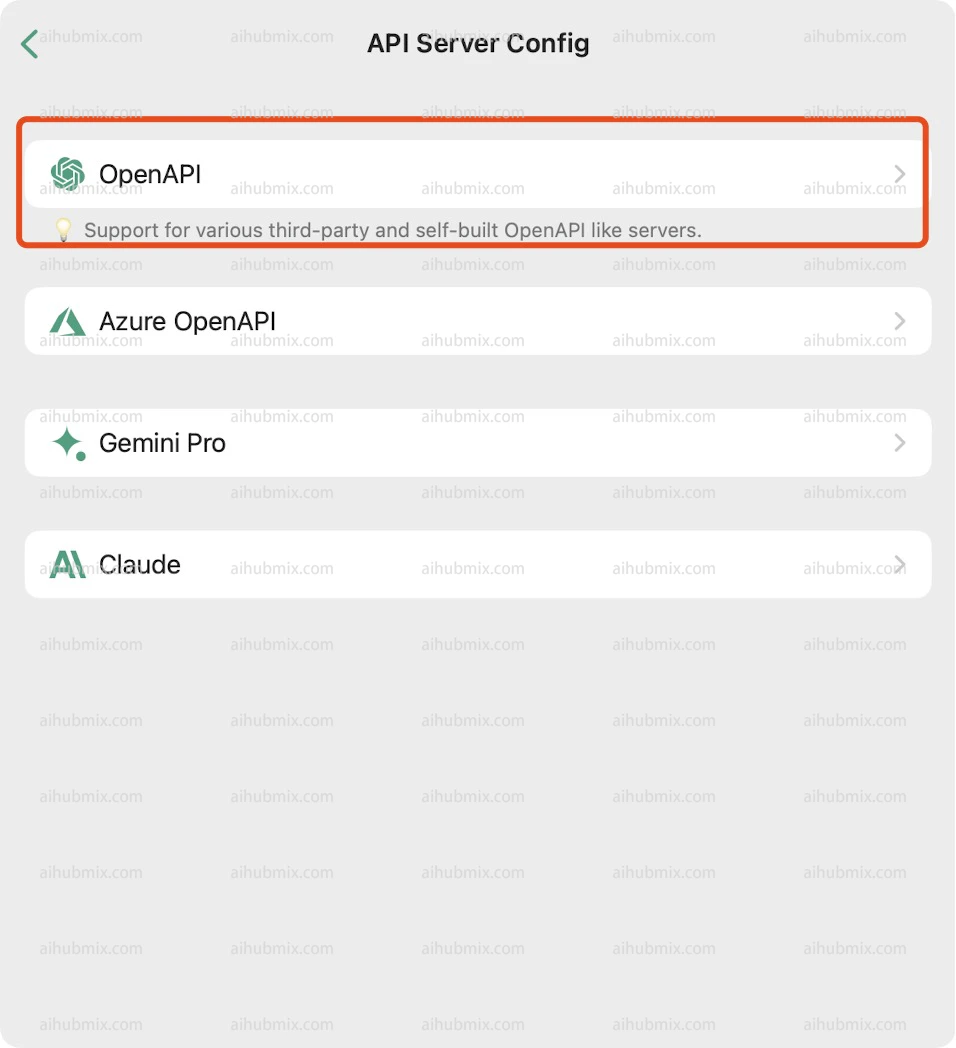
 2. Select OpenAPI.\\
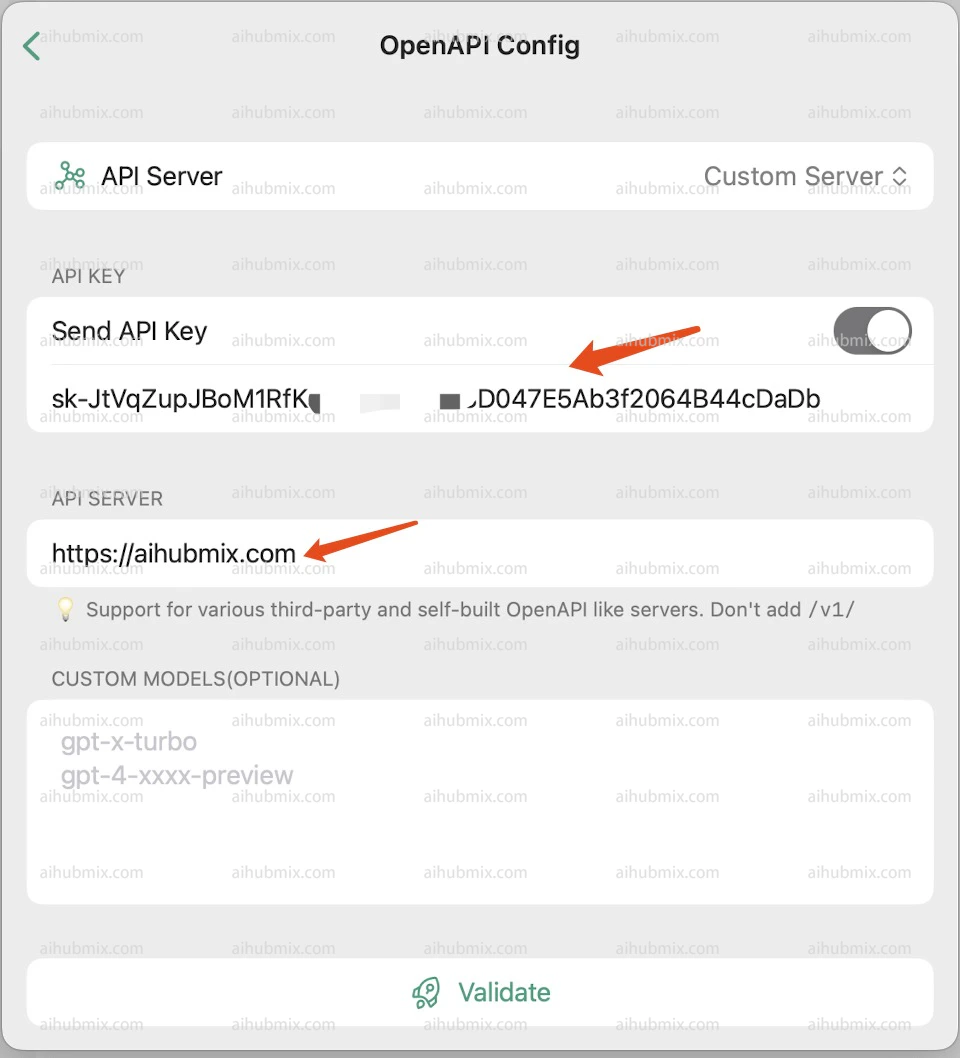
 3. Generate the API KEY from [our site’s Key](https://aihubmix.com/token).
4. Enter the following in the API SERVER field:
```
https://aihubmix.com
```
##
3. Generate the API KEY from [our site’s Key](https://aihubmix.com/token).
4. Enter the following in the API SERVER field:
```
https://aihubmix.com
```
##  Last updated: 2026-06-01