> ## Documentation Index
> Fetch the complete documentation index at: https://docs.aihubmix.com/llms.txt
> Use this file to discover all available pages before exploring further.
# NextChat
We use the ChatGPT Next Web demo site as an example
## Typical Usage (Using OpenAI Models)
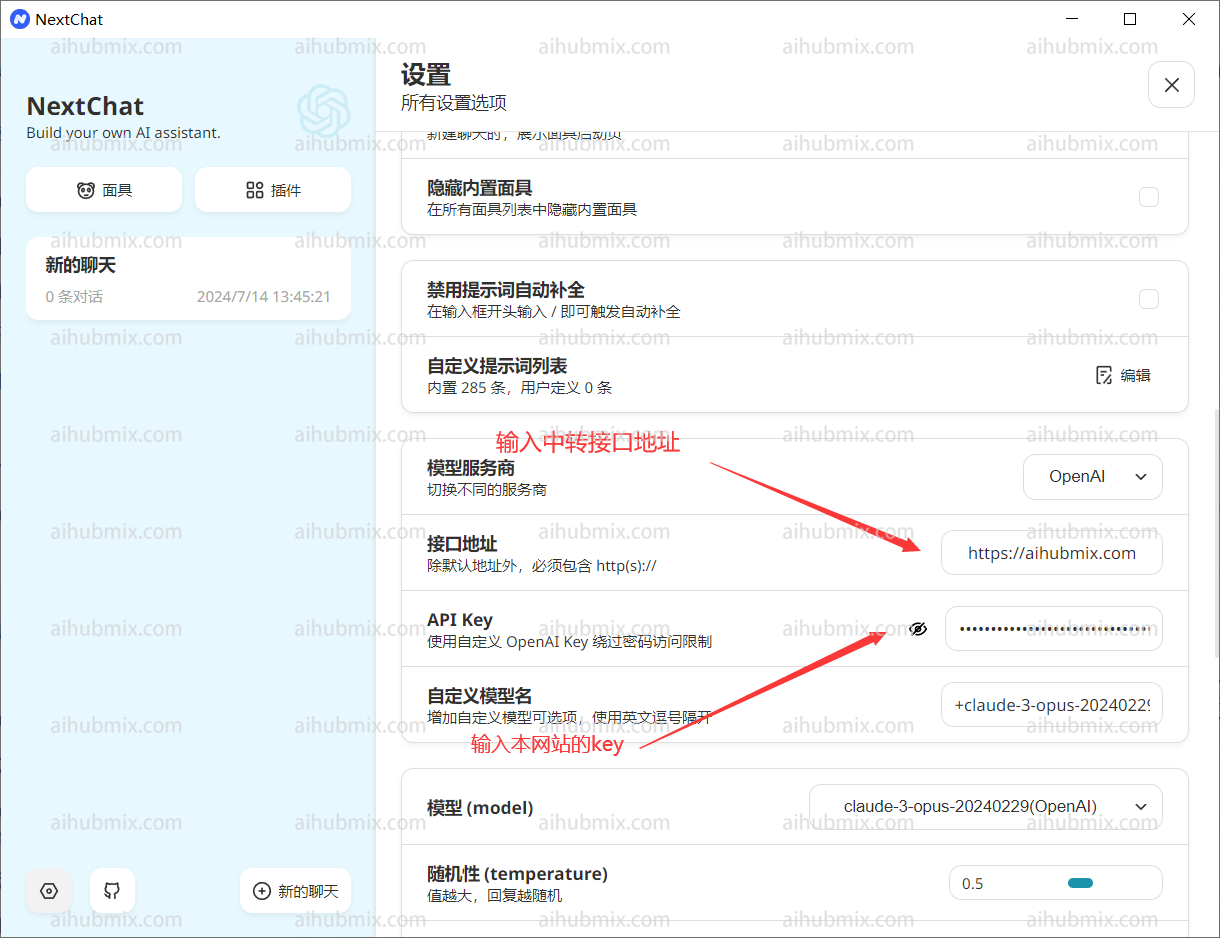
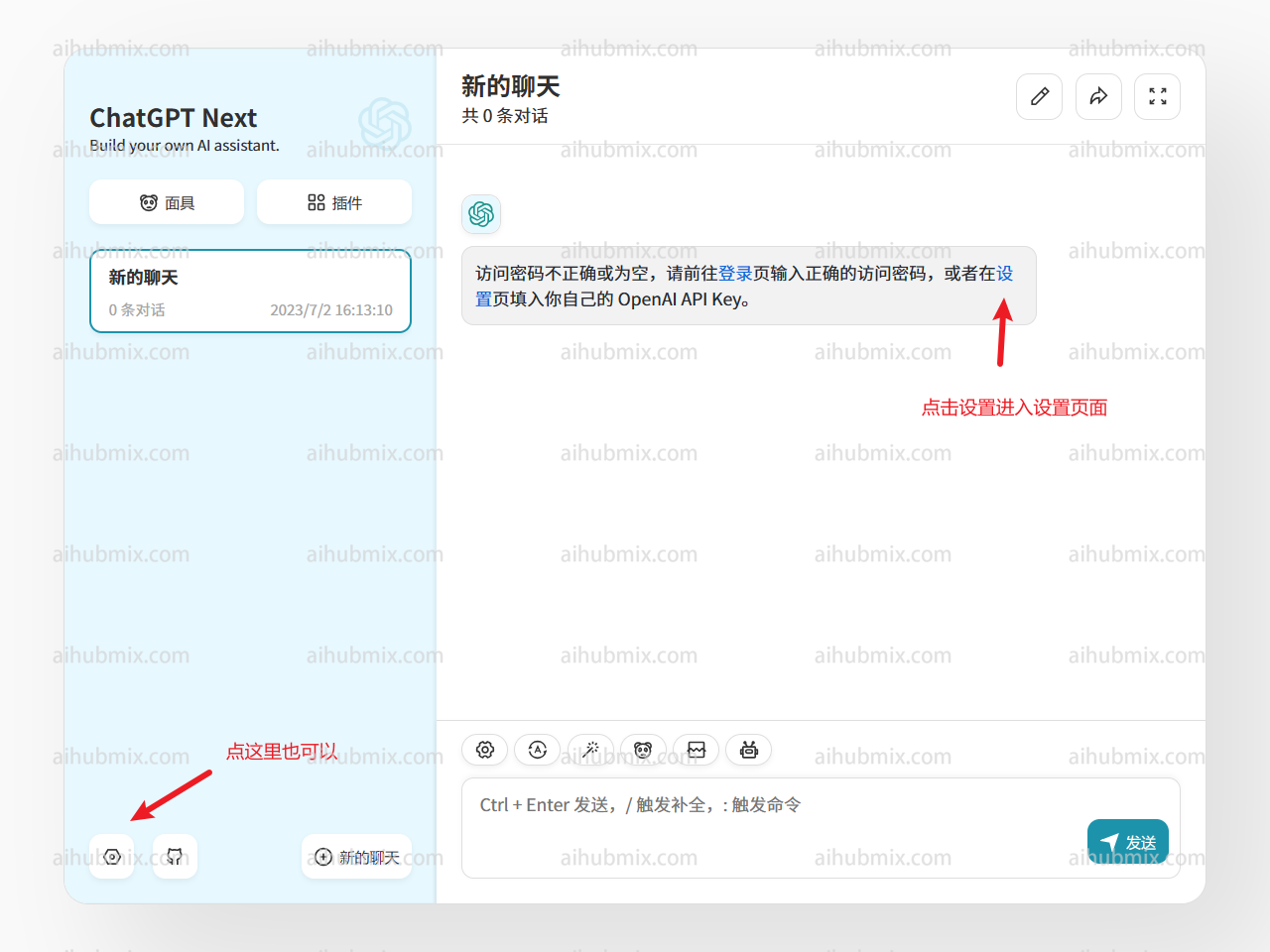 * API Key Input: [Site Key](https://aihubmix.com/token)
* Proxy Address: Enter the following URL directly:
```
https://aihubmix.com
```
* API Key Input: [Site Key](https://aihubmix.com/token)
* Proxy Address: Enter the following URL directly:
```
https://aihubmix.com
```
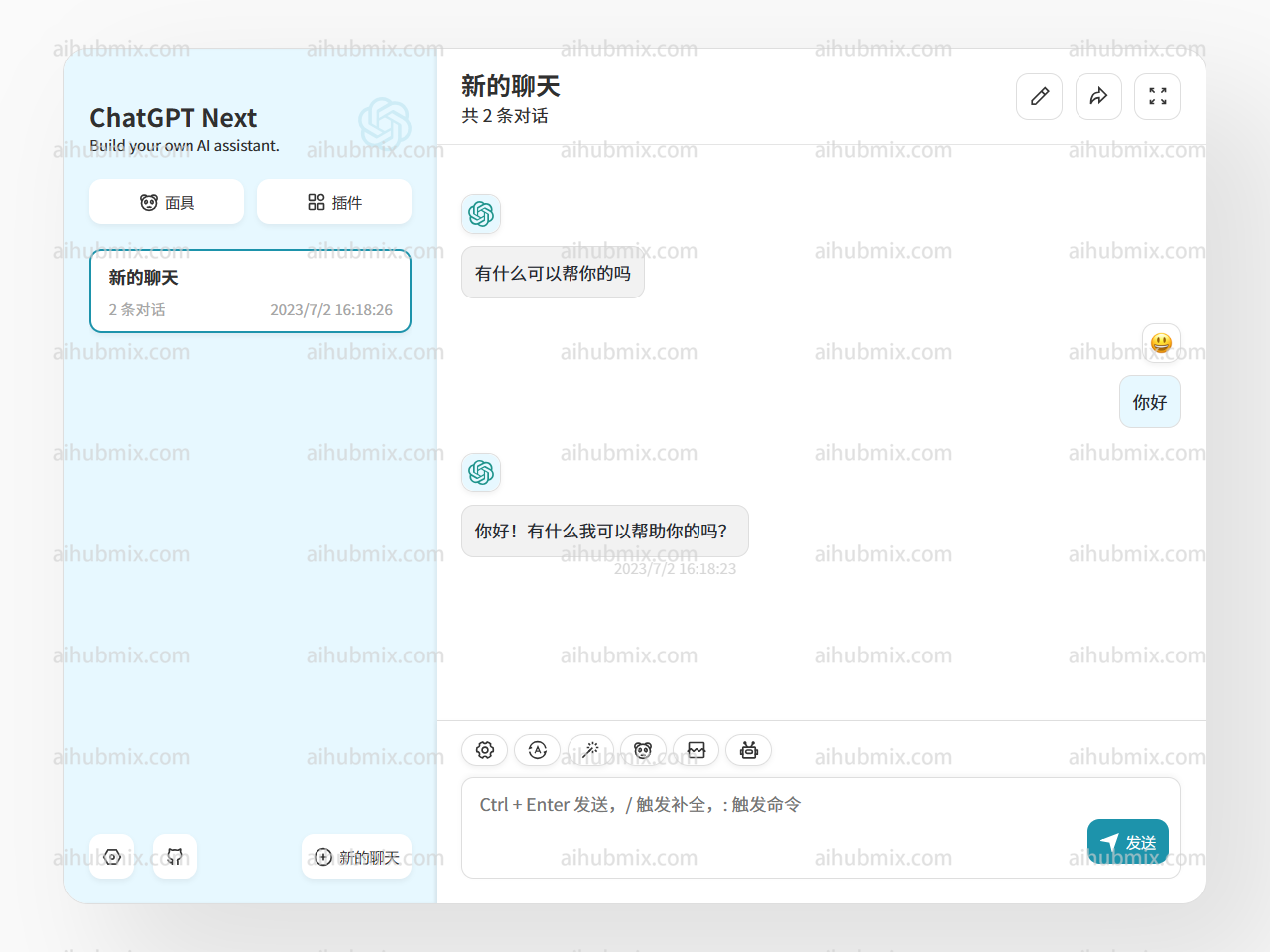 Then you can start using it.
## Special Cases (Using Non-OpenAI Models)
If you want to use non-OpenAI models in the Next Web client, follow these steps.\
First, ensure you have upgraded to the latest version (v2.13.0). In this version, a method for custom models has been added:
1. **Enter Custom Model Name**:
* Since the Next Web client automatically determines the model provider based on the input model name, and the key provided by this site is only applicable to the OpenAI interface.
* Therefore, when entering a custom model name, the format should be: “+‘desired model name’@OpenAI”.
* For example, to use the gemini-pro model, enter the custom model name as: “+gemini-pro\@OpenAI”.
* This way, you can manually direct the model provider to OpenAI.
2. **Confirm Selection**:
* In the model selection interface, confirm that the manually added model (OpenAI) appears below.
Then you can start using it.
## Special Cases (Using Non-OpenAI Models)
If you want to use non-OpenAI models in the Next Web client, follow these steps.\
First, ensure you have upgraded to the latest version (v2.13.0). In this version, a method for custom models has been added:
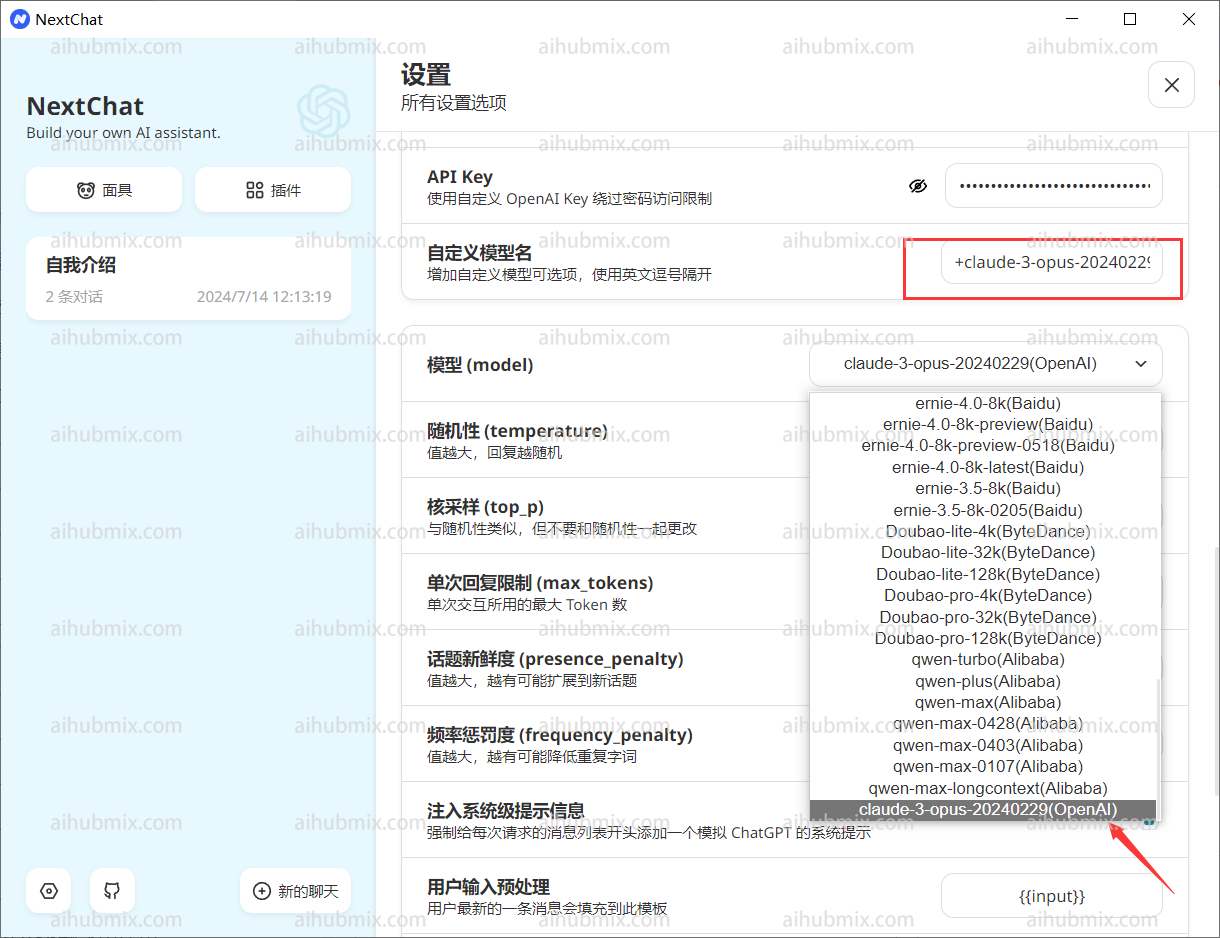
1. **Enter Custom Model Name**:
* Since the Next Web client automatically determines the model provider based on the input model name, and the key provided by this site is only applicable to the OpenAI interface.
* Therefore, when entering a custom model name, the format should be: “+‘desired model name’@OpenAI”.
* For example, to use the gemini-pro model, enter the custom model name as: “+gemini-pro\@OpenAI”.
* This way, you can manually direct the model provider to OpenAI.
2. **Confirm Selection**:
* In the model selection interface, confirm that the manually added model (OpenAI) appears below.
 ***
Last updated: 2026-06-01
***
Last updated: 2026-06-01