> ## Documentation Index
> Fetch the complete documentation index at: https://docs.aihubmix.com/llms.txt
> Use this file to discover all available pages before exploring further.
# LobeChat
## 通常使用方法
lobe-chat官方网址:[chat-preview.lobehub.com](https://chat-preview.lobehub.com/?utm_source=aihubmix\&utm_medium=website\&utm_campaign=references)
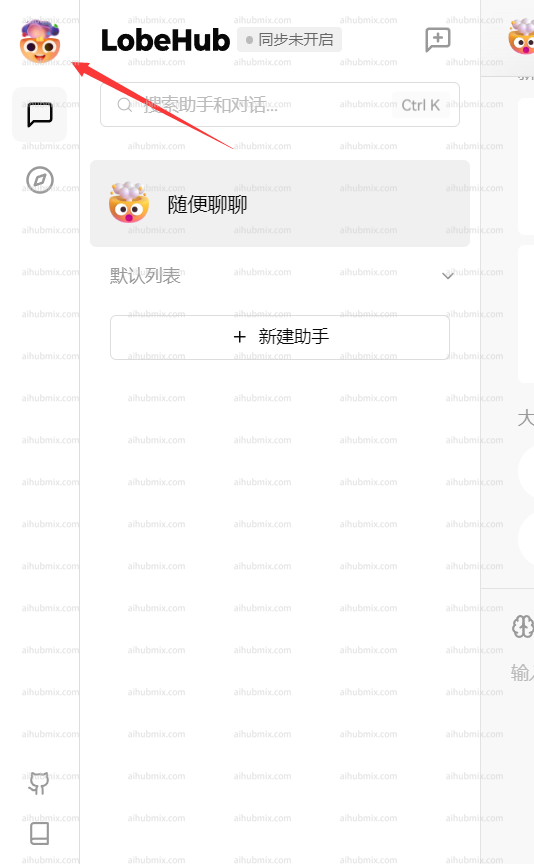
如下图所示点击进入设置\\
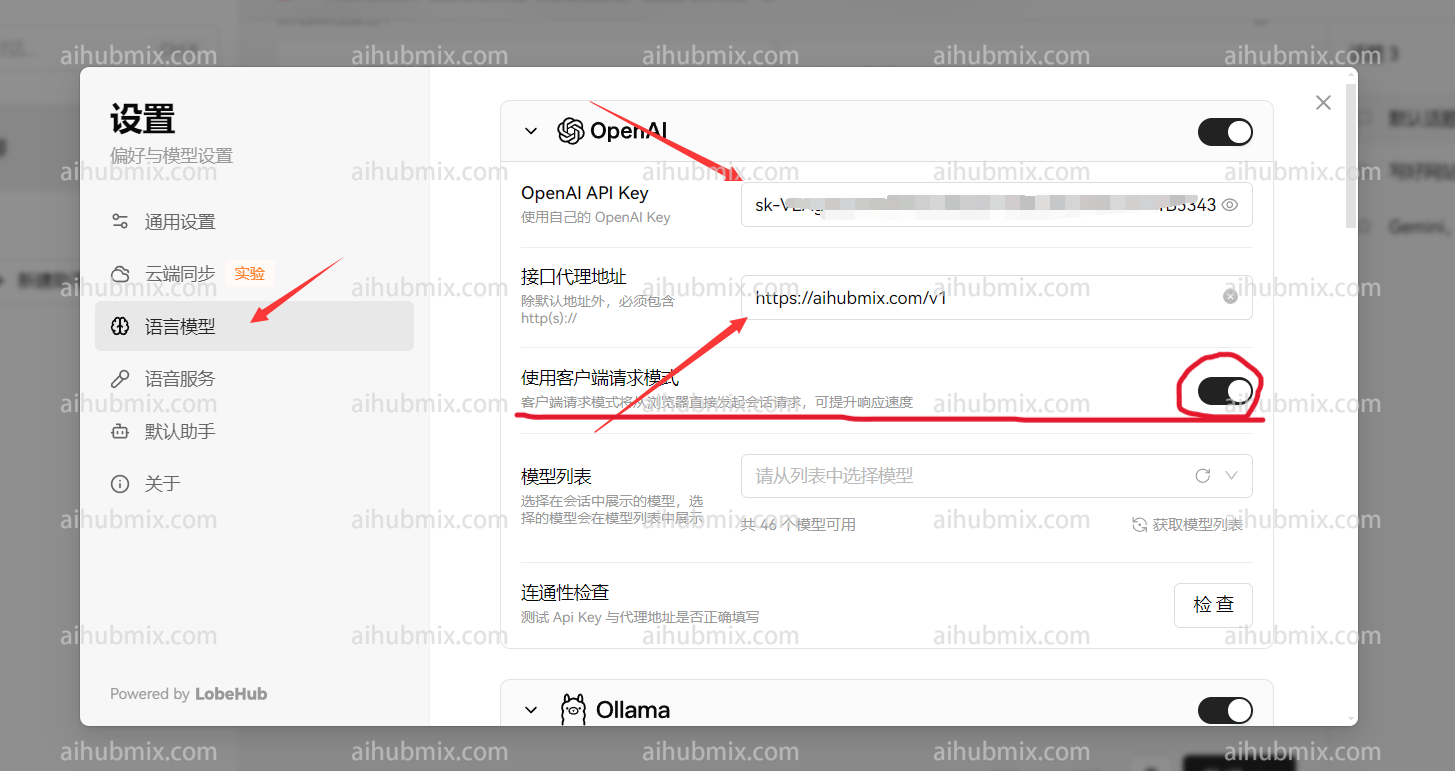
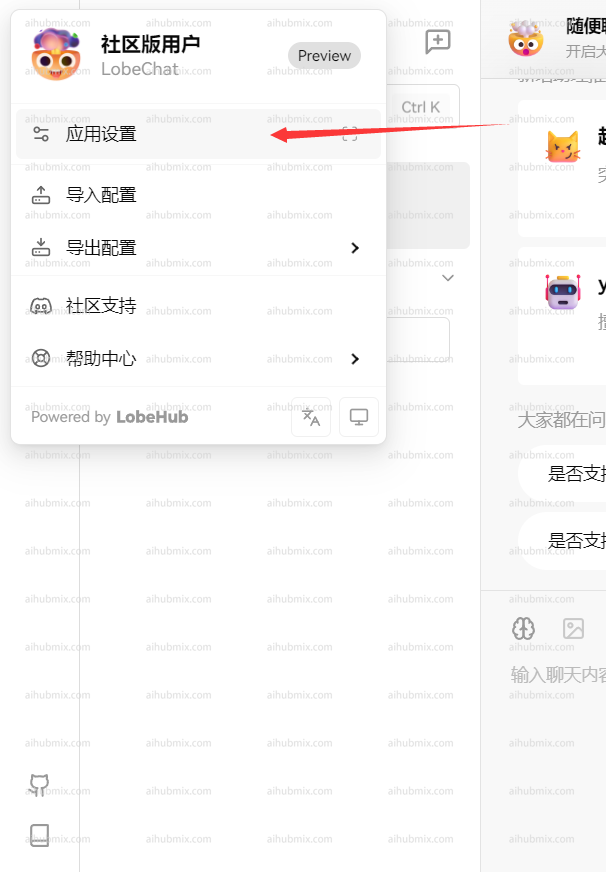 * API key 输入[本站的Key](https://aihubmix.com/token)
* 接口代理地址,直接输入下方的网址:
```text theme={null}
https://aihubmix.com/v1
```
(建议打开“使用客户端请求模式”)\
* API key 输入[本站的Key](https://aihubmix.com/token)
* 接口代理地址,直接输入下方的网址:
```text theme={null}
https://aihubmix.com/v1
```
(建议打开“使用客户端请求模式”)\
 \
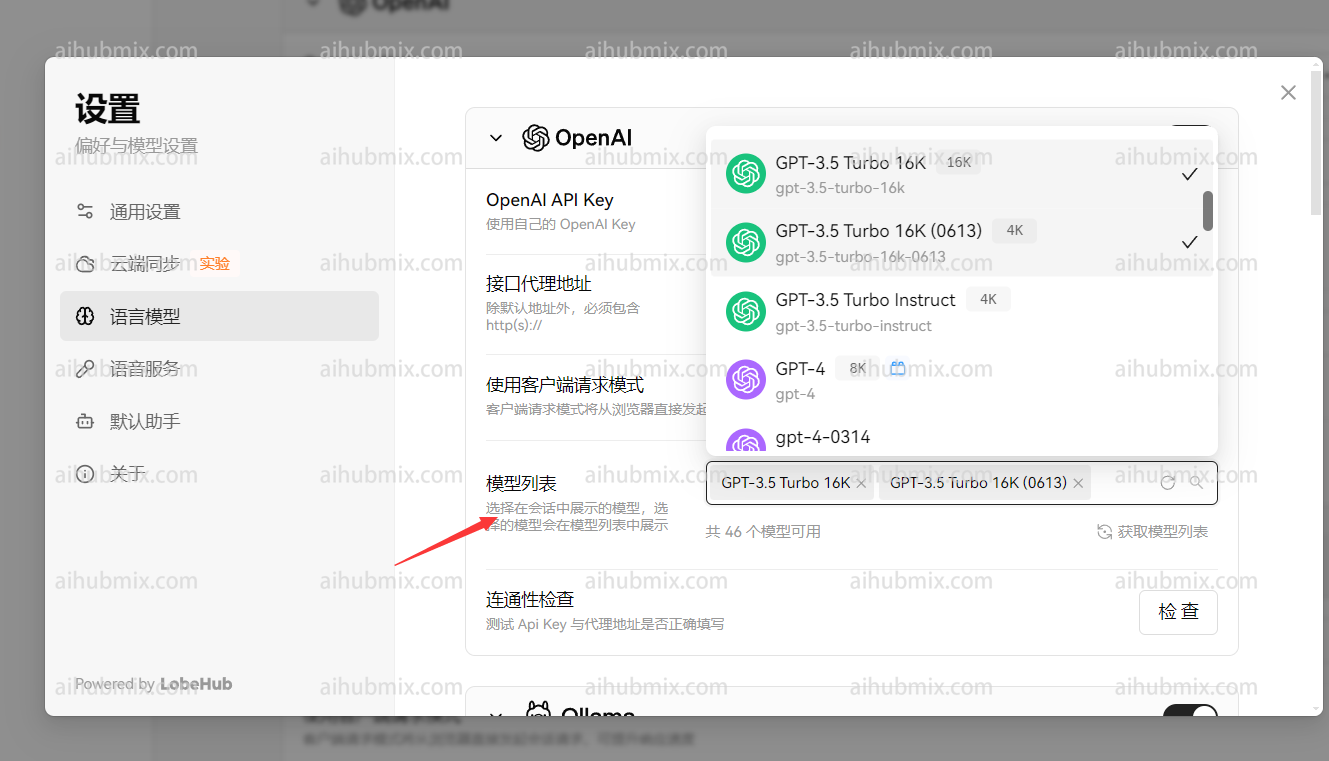
最后在模型列表添加自己要使用的模型\\
\
最后在模型列表添加自己要使用的模型\\
 ## 非openai模型使用方法
模型服务商选择 openai 不变,在模型列表手动添加所需模型名称即可。\
打开网站模型广场页面即可复制你想要使用的模型名称
------------------------
更新时间:2026-06-01
## 非openai模型使用方法
模型服务商选择 openai 不变,在模型列表手动添加所需模型名称即可。\
打开网站模型广场页面即可复制你想要使用的模型名称
------------------------
更新时间:2026-06-01