> ## Documentation Index
> Fetch the complete documentation index at: https://docs.aihubmix.com/llms.txt
> Use this file to discover all available pages before exploring further.
# Cursor
> 在 Cursor 中配置 AIHubMix 的 OpenAI 兼容接口,使用 AIHubMix 支持的模型进行代码对话、补全和 Agent 编程。
Cursor 是一款 AI 代码编辑器。本文介绍如何在 Cursor 中配置 AIHubMix,让 Cursor 通过 OpenAI 兼容接口调用 AIHubMix 支持的模型。
下载链接:[Cursor 官网下载](https://cursor.com/downloads)
## 准备工作
* 安装并打开 Cursor。
* 在 [AIHubMix 控制台](https://aihubmix.com/token) 创建 API Key。
* 准备要使用的模型 ID。建议从 [AIHubMix 模型列表](https://aihubmix.com/models) 复制,避免手动输入错误。
## 配置 AIHubMix
### 1. 打开 Models 设置
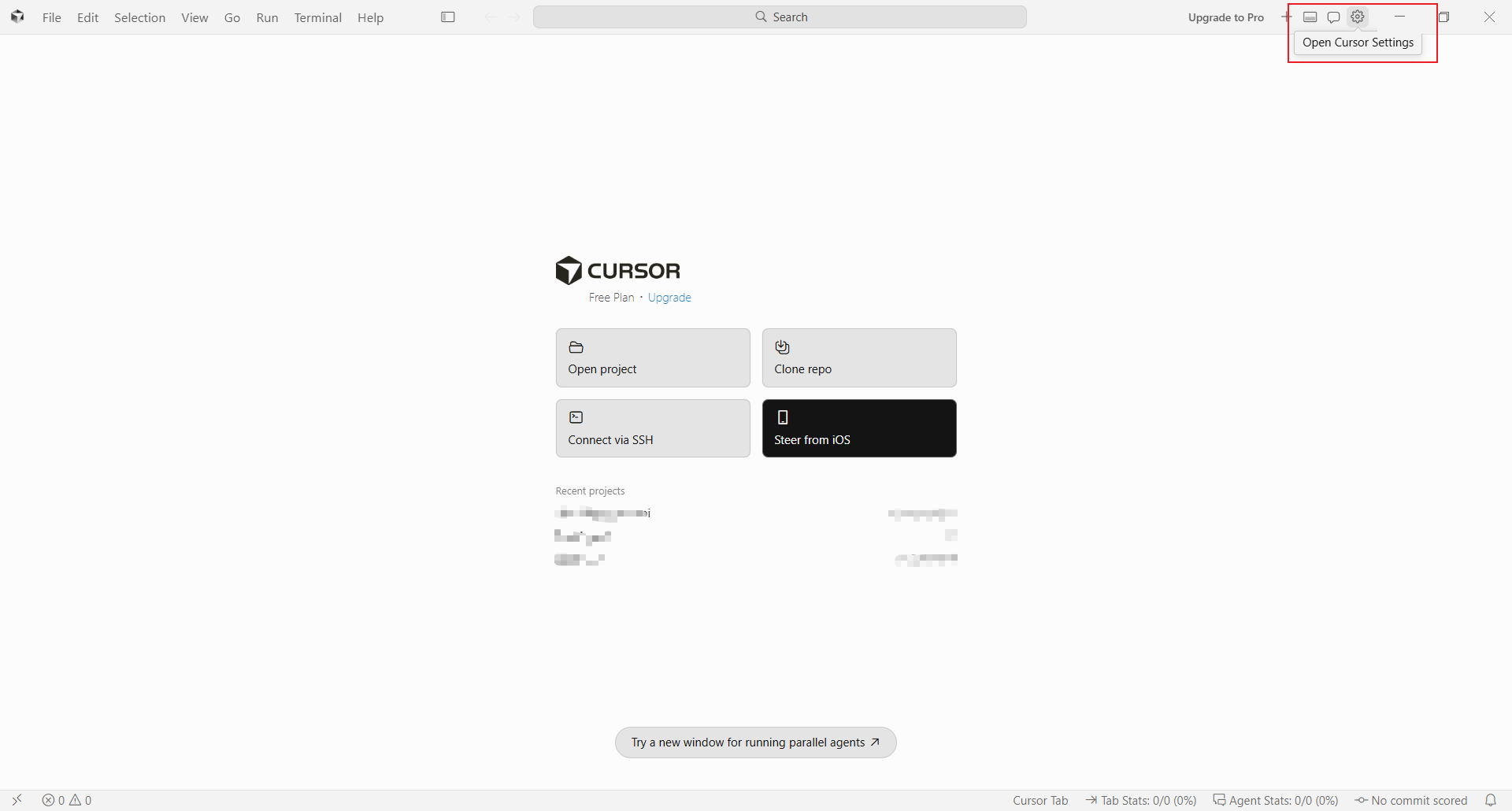
点击 Cursor 右上角的设置按钮,进入设置页面后选择 **Models**。
 ### 2. 填写 API Key 和 Base URL
在 **OpenAI API Key** 中填入在 AIHubMix 控制台创建的 API Key。
开启 **Override OpenAI Base URL** 后,填写:
```text theme={null}
https://aihubmix.com/v1
```
主地址暂时不可用时,可以改用备用地址:
```text theme={null}
https://api.inferera.com/v1
```
### 2. 填写 API Key 和 Base URL
在 **OpenAI API Key** 中填入在 AIHubMix 控制台创建的 API Key。
开启 **Override OpenAI Base URL** 后,填写:
```text theme={null}
https://aihubmix.com/v1
```
主地址暂时不可用时,可以改用备用地址:
```text theme={null}
https://api.inferera.com/v1
```
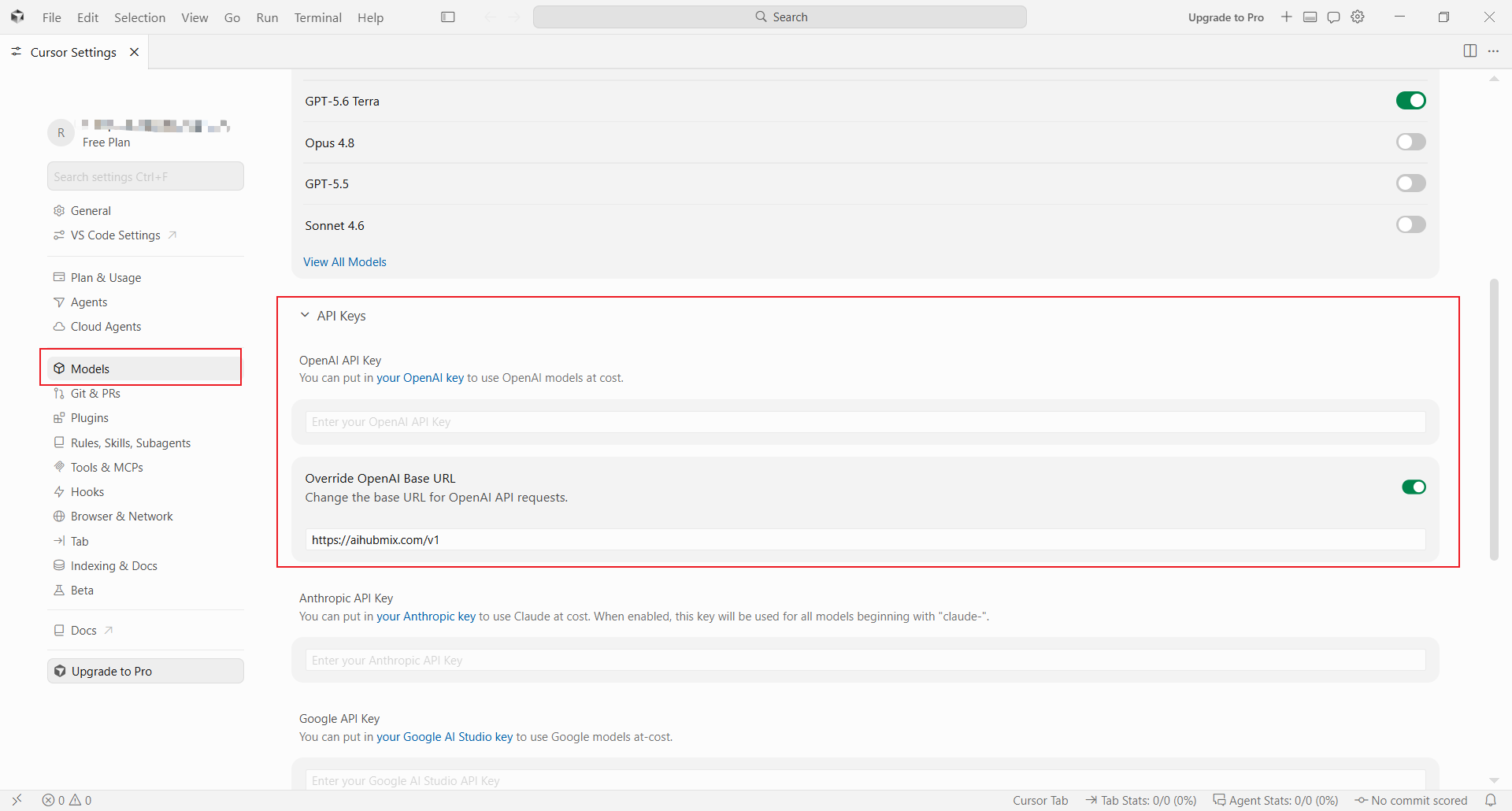 填写完成后,点击 **Verify** 验证配置。验证通过后,说明 Cursor 已经可以通过 AIHubMix 的 OpenAI 兼容接口发起请求。
### 3. 添加模型
在模型设置区域添加要使用的模型 ID,例如 `gpt-5.6-terra`。模型 ID 需要与 AIHubMix 模型列表中的名称保持一致。
填写完成后,点击 **Verify** 验证配置。验证通过后,说明 Cursor 已经可以通过 AIHubMix 的 OpenAI 兼容接口发起请求。
### 3. 添加模型
在模型设置区域添加要使用的模型 ID,例如 `gpt-5.6-terra`。模型 ID 需要与 AIHubMix 模型列表中的名称保持一致。
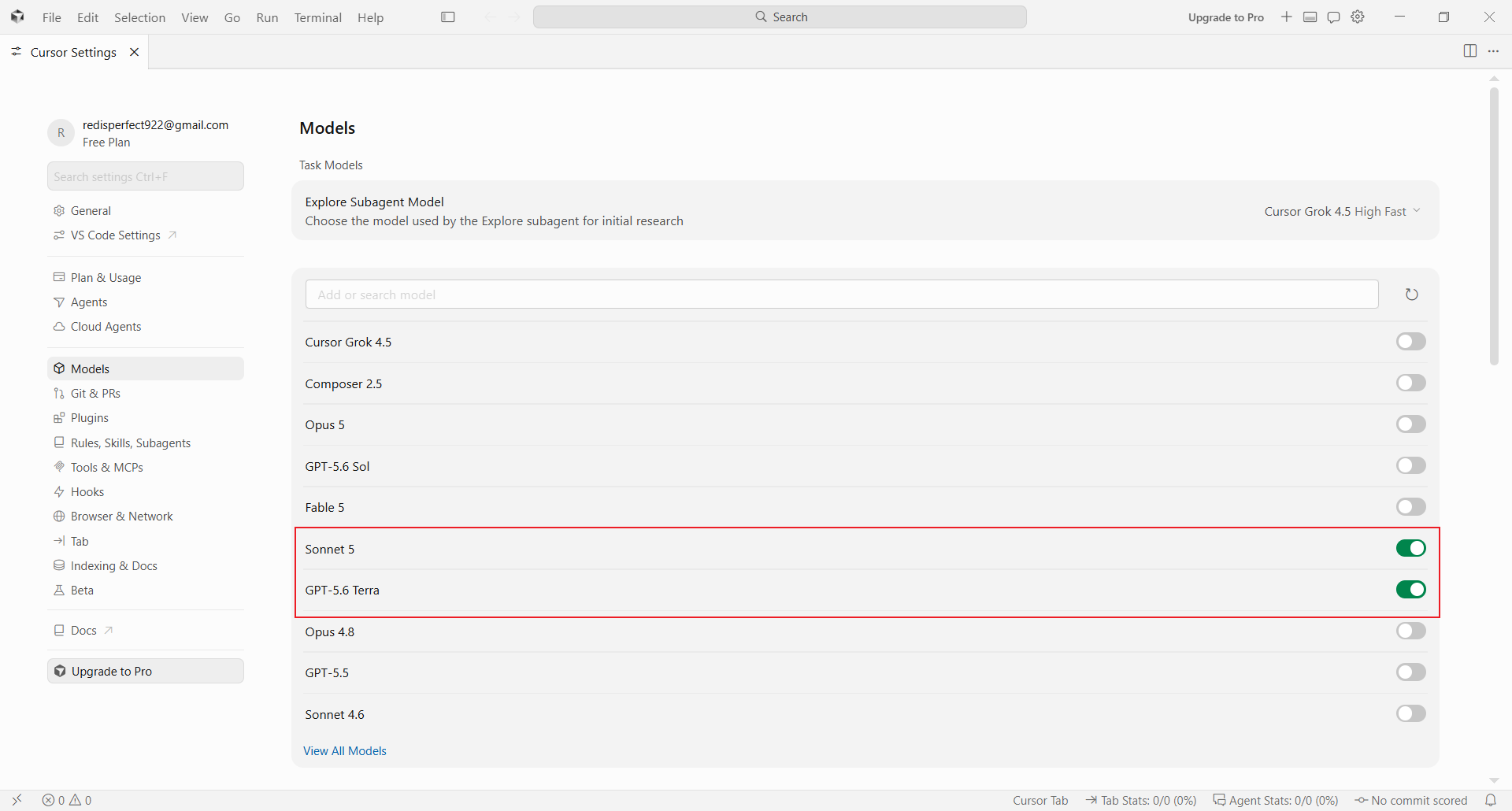 如果要使用 Claude、Gemini、Qwen、Kimi 等模型,也建议直接添加 AIHubMix 支持的模型 ID。不要直接选择 Cursor 内置的官方模型入口,否则 Cursor 可能会走对应平台自己的默认接口,而不是上面配置的 AIHubMix 地址。
## 使用并验证
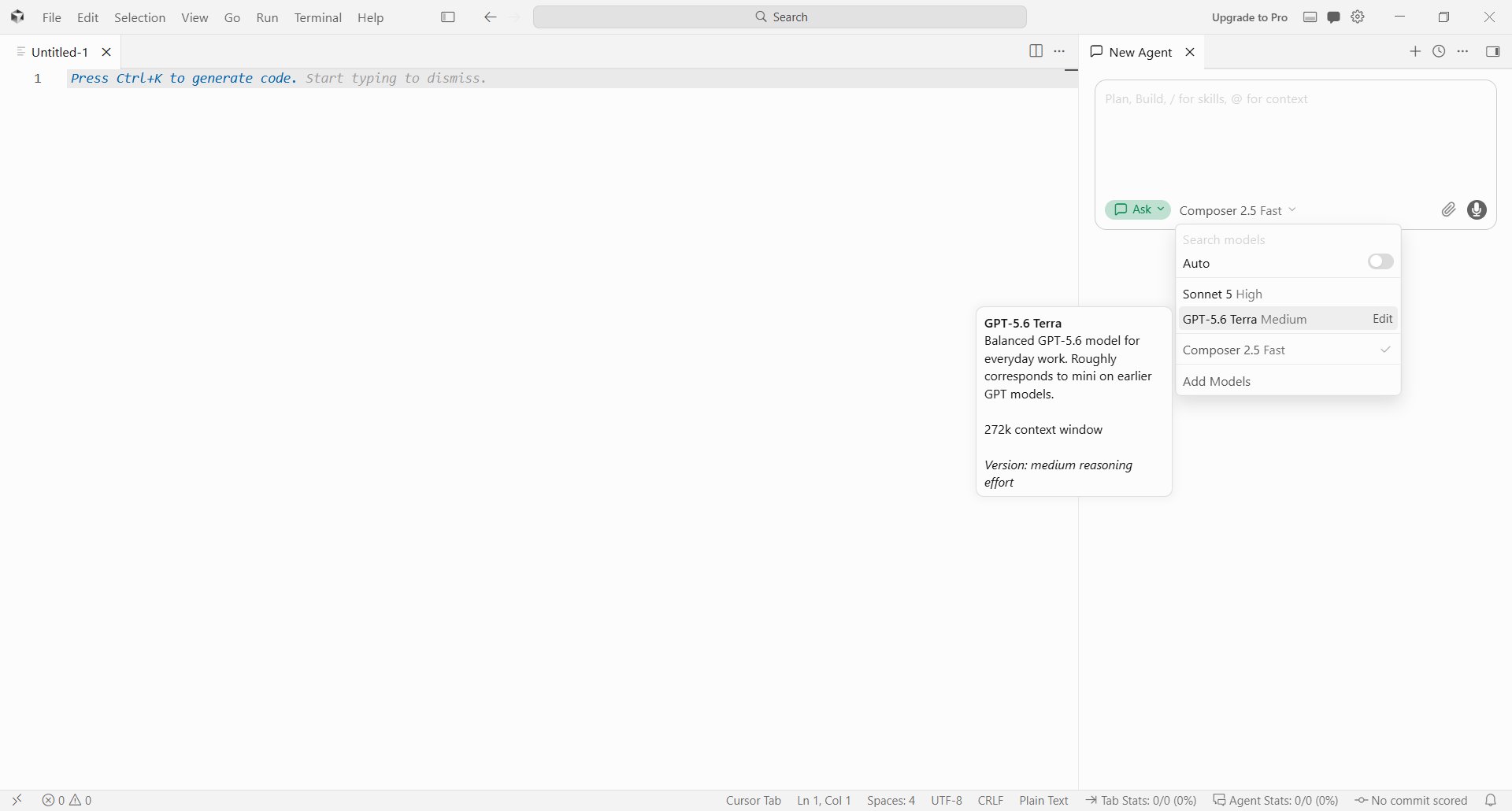
回到 Cursor 主界面,在聊天或 Agent 面板中选择刚刚添加的模型,发送一条简单请求。能够正常收到回复,即表示配置已经生效。
如果要使用 Claude、Gemini、Qwen、Kimi 等模型,也建议直接添加 AIHubMix 支持的模型 ID。不要直接选择 Cursor 内置的官方模型入口,否则 Cursor 可能会走对应平台自己的默认接口,而不是上面配置的 AIHubMix 地址。
## 使用并验证
回到 Cursor 主界面,在聊天或 Agent 面板中选择刚刚添加的模型,发送一条简单请求。能够正常收到回复,即表示配置已经生效。
 ## 常见问题
**Verify 不通过怎么办?**
检查 API Key 是否完整、Base URL 是否包含 `/v1`,以及当前网络是否可以访问填写的地址。主地址暂时不可用时,可将 **Override OpenAI Base URL** 改为 `https://api.inferera.com/v1` 后再次验证。
**为什么选择模型后没有走 AIHubMix?**
确认选择的是你在模型列表中添加的 AIHubMix 模型 ID,而不是 Cursor 内置的官方模型入口。通过本文方式接入时,Cursor 会把 OpenAI 兼容请求发送到你填写的 Base URL。
***
更新时间:2026-08-04
## 常见问题
**Verify 不通过怎么办?**
检查 API Key 是否完整、Base URL 是否包含 `/v1`,以及当前网络是否可以访问填写的地址。主地址暂时不可用时,可将 **Override OpenAI Base URL** 改为 `https://api.inferera.com/v1` 后再次验证。
**为什么选择模型后没有走 AIHubMix?**
确认选择的是你在模型列表中添加的 AIHubMix 模型 ID,而不是 Cursor 内置的官方模型入口。通过本文方式接入时,Cursor 会把 OpenAI 兼容请求发送到你填写的 Base URL。
***
更新时间:2026-08-04